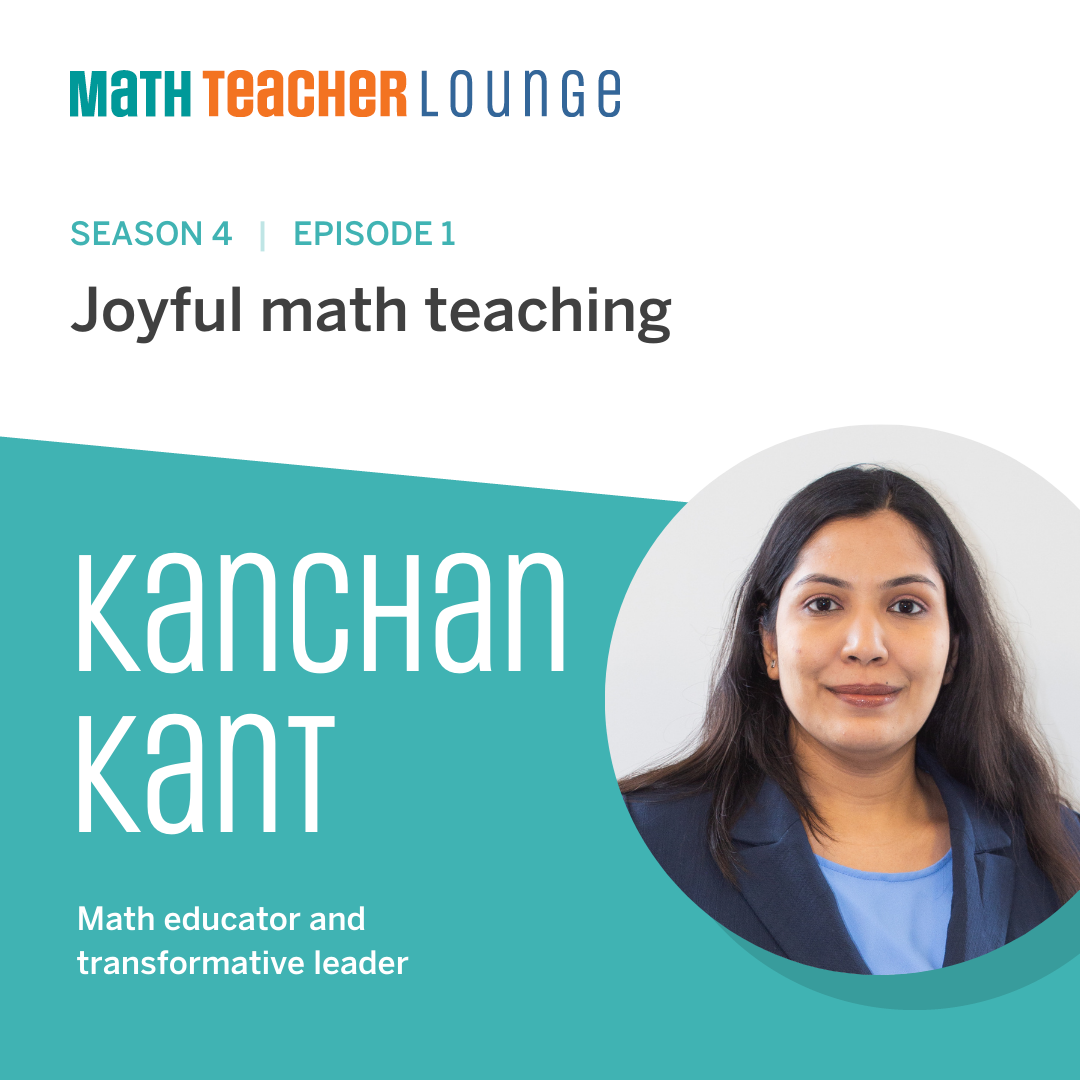
S1-09: Supporting K–8 science students in the digital world: Ricky Mason

Podcast cover for "Science Connections," Season 1, Episode 9, featuring "Ricky Mason" discussing K–8 science education. Includes a globe illustration and decorative science-themed elements.

In this episode, Eric sits down with Ricky Mason, chief executive officer of BrainSTEM. Ricky shares his passion for inspiring students into science careers, and his path from an engineering career with organizations like the Department of Defense, National Aeronautics and Space Administration, and the Central Intelligence Agency to starting BrainSTEM, an education program that develops creative digital tools to enable all teachers and students to dive deeper into STEM content. Ricky and Eric talk about representation in science classrooms and the importance of embedding fun within K–8 science content! Explore more from Science Connections by visiting our main page.

Download Transcript

Ricky Mason (00:00):

I feel like comfort is where dreams go to die. And I’m still dreaming every night. So I’ll wake up, chasing them.

Eric Cross (00:08):

Welcome to Science Connections. I’m your host, Eric Cross. My guest today is Ricky Mason. Ricky is an engineer whose career included lead roles at the Department of Defense, NASA, and the CIA. Ricky transitioned to education as an adjunct faculty at the University of Kentucky. And while there, he founded BrainSTEM, an edtech company that developed a 3D virtual reality metaverse for STEM education. Today, BrainSTEM serves public school districts, private schools, and nonprofits. And in this episode, we discuss what led Ricky to creating BrainSTEM Metaversity, and how he’s using the metaverse to transform STEM learning for students. And now please enjoy my conversation with Ricky Mason. How did you, so like maybe going back doing your origin story, maybe you can talk about it, but brother, you don’t sleep. Talk about keep making moves, your hashtag, I mean, I was looking at your LinkedIn profiles, looking at your details. You get after it. I was getting tired just reading it. I was like John Hopkins, electrical engineering, real estate, starting companies. You must have that gene where it’s like four hours of sleep and then you’re like, ready to go.

Ricky Mason (01:19):

Yeah, man. My mom told me if I didn’t stay busy, then I’m in trouble. So when I was about 14, she told me that. I said, well, Mama, I guess I’m gonna stay busy then. And yeah, man, that’s just been my life. I feel like if I don’t keep making moves, then I’m in trouble. So, feel like comfort is where dreams go to die and I’m still dreaming every night. So I’ll wake up chasing them.

Eric Cross (01:44):

I feel like a kindred spirit with you. So, were you always interested in STEM like, was there something like a moment or a year where you remember you were like, this is my jam. This is what I’m gonna get into.

Ricky Mason (01:57):

Yeah, man. When it really clicked for me was in the fifth grade. I was at a school assembly and an IBM engineer came in and he brought a robot and he programmed it with punch cards right on the stage. And I got the opportunity to come up andyou know, put one of the punch cards in the robot to program it. And I asked him, I’m like, what is your job? He said, I’m a robotics engineer. And I went home right after that assembly and I said, Mom, that’s what I wanna do, become a robotics engineer. And my mom would take me to the libraries. Well, I felt like I was getting outta bible study on Wednesdays by going to the library. So I went there and I started researching robots.

Ricky Mason (02:39):

And at the time the robots that were popular were all being sent to space. And it was the spiritless. It was being sent to Mars. And I said, Mom, well, I guess I gotta become an astronaut if I’m gonna be a robotics engineer. And that’s kind of what set me out on that dream. And my mom started trying to find outlets for me to get involved in STEM, but it was really tough to find those outlets, you know, especially in that fifth to eighth grade range here in Kentucky. So that was kind of where it started for me man, when I knew that yeah, engineering is what I wanna do.

Eric Cross (03:14):

What does an electrical engineer do? I imagine there’s different types of specialties, but like, was there something that you specialize in that you focused on or was it, is it just kind of like a generalist field?

Ricky Mason (03:23):

Yeah, so I would say, yeah, man, it’s a huge field. So you could be doing anything from, you know, power, like power coming into your house. So those large power systems all the way down to nanotechnology and microchips. I like to tell people I’m a real full stack engineer, so my wheelhouse is kind of from the PCD, the little green computer chips, all the way to the cloud. Over my career, I’ve had some pretty cool jobs. One of those things was I was a test engineer for the army. So I got to test weapons up at Aberdeen Proving Ground for the Army. So I got to drive those weapons and test them before they went to theater there. After that,I worked at United Launch Alliance down at Cape Canaveral where I launched five rockets.

Ricky Mason (04:07):

So I was a part of the electrical ground systems team there where we were responsible for all of the electrical systems on the rocket while it was on the pad. Somonitoring the temperature of the rocket, the fuel, the entire system for safety while it was on that pad. And then finally I worked at the CIA as a computer engineer building data centers and as a data center architect for some of our remote systems and virtualizing our systems. So kind of had a broad spectrum of things there. And then finally coming back to the University of Kentucky as a research engineer and faculty. I developed drone technology for monitoring crops. So flying drones over crops with LIDAR, just like self-driving cars with high-definition cameras to pull in data about those crops, to help farmers determine about pesticides fertilizers, and the overall health of their crops from a remote location.

Eric Cross (05:10):

It’s so neat to hear you talk about it and to see how this is all built up to what you do now with BrainSTEM. How would you explain what BrainSTEM is? I know that’s your, that’s kind of your baby right now and what you’ve been working on a few years.

Ricky Mason (05:23):

Yeah, man, we started BrainSTEM in 2019 officially, but I would say BrainSTEM has been almost 10 years in coming. While I was in undergrad, I played football at the University of Kentucky. But I got hurt going into my sophomore year and that kind of shattered my dreams of football. And that’s when I really got back into engineering. One of my professors asked me to come to a robotics competition and I saw these third graders and sixth graders programming robots. And I’m like, oh my God, they’re programming robots! And I had no idea how to code or what to do with these things. And where was this a when I was a kid? And so I immediately bought one of those robots and taught myself how to program it <laugh> and then we started a robotics team in Lexington,there at a church.

Ricky Mason (06:10):

And we got a sponsorship from Lexmark to start that team. And that was kind of my first leap into STEM and teaching STEM and creating programs for students in STEM. I did that in undergrad and like I said, fast forward 10 years later, I’m teaching at the University of Kentucky and we’re struggling to recruit STEM students. Why aren’t students going into STEM? I hear too many adults tell me, oh man, I wish I would’ve done engineering, or I started out in engineering, but I left engineering or I wish I could go back to school for engineering or learn to code. And I’m like, I asked them like, why didn’t you do this? What happened? And often it’s like, it was the math. It was, oh, I didn’t get into it until I was in college. And I’m like, well, that’s the key.

Ricky Mason (06:52):

I knew I wanted to do this in the fifth grade. And I started with a plan in the fifth grade to achieve these goals and dreams. And I started doing that research and realizing that the same problem existed that I had. There was no outlet for kids to get involved in STEM, and so many kids have an affinity for STEM an early age. So we started BrainSTEM to provide access to STEM education and exposure STEM careers, STEM professionals, and just to STEM fields as a whole, because too often kids may know about the term, engineer, or the term, scientists, but they don’t really know what those people do or have a strong connection with the field or have any hands-on projects that they kind of done around those things or met anyone like me.

Ricky Mason (07:42):

I didn’t meet an engineer until I was in college. So that has really been impactful for some of the students that we’ve been able to touch. I had a family reach out to me. They moved to Lexington from California and they were like, man, I really want my ninth-grade son to get involved in engineering. So we started a weekend program with that one student and it went amazing. Like we competed in science fairs, we applied for different college programs and things like that. So it became an entire like mentorship program. And I’m proud to say that a year ago, he actually graduated with his bachelor’s in electrical engineering from your side of town, UCSB. It was just awesome to actually see this come full circle. And that’s kind of one of the first things that we did before we actually formalized as BrainSTEM University.

Eric Cross (08:34):

What will be like your elevator pitch for a teacher? If you were gonna say, this is what BrainSTEM does. I have the luxury of going through it on the site, but since we’re on a podcast, how would you kind of pitch it to people letting them know, like what, what does it do? Who does it serve?

Ricky Mason (08:47):

Yeah. So BrainSTEM provides STEM curriculum and STEM magnets for schools and nonprofits looking to increase access to STEM for K through 12 students. We also have launched our BrainSTEM Metaversity, a metaverse product for teachers to take their 2D Google classroom and convert it into a 3D metaverse classroom where students can collaborate during a 3D class. So all of your students show up as their avatars that they can select from our inventory of 150 avatars, and enjoy class in a 3D gameified Minecraft like World.

Eric Cross (09:26):

So I made my avatar by the way. It’s kind of tight, I have to say, it’s kind of tight. Hey, I’m gonna share. So those of you in the podcasts I’ll share it so you can see it. You’re not gonna be able to see it right now, but since I have the man himself I gotta share it with him just so I can get a reaction. So can you see that?

Ricky Mason (09:43):

Yeah. <laugh> That’s so good.

Eric Cross (09:44):

I feel like I wanna look like him though. I want him in real life. Like I want be able to switch to looking like my avatar

Ricky Mason (09:52):

<Laugh>

Eric Cross (09:54):

That was the first thing that I jumped on, when I went on your site, was making the avatar and I had so much fun doing it. I actually took longer than I probably wanna admit cause I was like customizing everything

Ricky Mason (10:03):

Yeah, man. It’s so fun. And that’s exactly what, you know, when you can show up as the person you want, it changes your whole being. I’ve seen kids that are quiet in class. They show up as their avatar and they’re talkative, they’re asking questions, they’re moving around the room, interacting with other kids. I feel like it’s almost like a superpower just to put your avatar on.

Eric Cross (10:25):

So what is something that a teacher could have their students go and learn or do if they, if they signed up,

Ricky Mason (10:31):

Let’s kick it off. So how we started with the metaverses, was teaching coding. So our first class was Minecraft and Python coding in the metaverse. So students showed up in the metaverse with our virtual instructor, that instructor led a lecture in the metaverse and then those students could collaborate on their Python games. So, they created and built the game in Python. We shared those games in the metaverse and we have our leaderboards that are in the metaverse, as they’re completing these challenges, including these games, then sharing them back in the metaverse with other students and getting that feedback on their game. So we’ve seen huge excitement from students when I can come back in and see my friend’s work. Like too often, students don’t get to see their work and that’s motivation to do better when I’m like, Jim’s gonna see my work. It’s amazing to see that motivation when students are sharing their work with other kids and not just their parent or just them and the teacher or seeing their grades. It’s been really cool to see.

Eric Cross (11:33):

You have that genuine audience too. Like that real-time feedback. And then like an authentic audience for students that makes everything seem, it takes it up a notch.

Ricky Mason (11:42):

Yeah, man. And then as we have built on this platform, so like you said with that avatar, so think if you created a really cool looking avatar and other students wanted to be that avatar, we have a way of sharing that avatar back into the world and in the inventory so that other students could then be your avatar. Or, if you create a world, we could then share that world back into the inventory, so the teacher could have class in a world that you created.

Eric Cross (12:07):

They’re creating content, not just consuming it. They’re actually creating content that could be shared across like grade levels or students.

Ricky Mason (12:14):

Well, we’re gonna say right now it’s just within your classroom. Eventually yes, we want students to be able to share that across school districts. At least we think that data will be probably limited to those kinds of realms as far as schools go. But you’ll be able to share this across sixth grade. We’ll be able to see what everyone in the sixth grade is doing in their STEM class or their game development class or their history class, per se, even if they’re giving back a presentation or what we have here in JCPS is backpack skills of success, where students are presenting on things that they’re learning that relate back to core competencies that the district is focused on. And I think that sharing those in the metaverse and doing those in the 3D world will be an awesome experience for students.

Eric Cross (12:56):

Are you seeing anything else as far as those skills that we see that are needed in coding? Is there something that the VR adds that was distinct from maybe just a kid with a Chromebook in his class that it’s just him in isolation doing the coding? Was there any like aha moments or surprises when they’re in the VR world doing this?

Ricky Mason (13:13):

I think the biggest thing is we could actually show them real examples of code working in other ways. Sofor example, if we’re working through loops, we can show them something looping. We can relate these functions to real-world things happening in the VR world so that they can see and better relate the actual concept with visuals, if that makes sense. So, you’re in loop Allen the whole time you’re learning about loops. You’re immersed in that kind of world. What we’ve seen is students really start to, you know, they it pick up and it clicks a lot faster because some of these concepts are so abstract for students to understand, when we can relate them to things in that world that they see that are in front of them, that they can grasp before we go to okay, type in “while” “”parentheses” <laugh> they can thenrelate that and pick up on those clues a lot better after they’ve seen those things in the world.

Eric Cross (14:09):

So they can actually visualize it in the metaverse. Whereas outside of it, it’s more just, just text-based coding and they’re not isolated. Like the first thing I’m thinking about is how like, with my own students, when they’re learning Sratch or Python, it’s not easy to share back and forth because they all are on individual accounts and they’d have to go on a different computer, or we’d have to find some way to publish it. And then all the kids would have to access it. But it sounds like in the metaversity classrooms, it’s easy for students in that same class to see each other’s work. Am I getting that right?

Ricky Mason (14:37):

Yeah. So most of our classrooms are limited to 24 students and in some of our breakout classrooms, we limit them to about eight students. Everybody can share their screen, so students can share their screen in the metaverse. They can share their video in the metaverse. They can share documents in the metaverse. They can share their, like I said, their code or anything that they want to share with other students. They can kind of do that. So it’s been a really cool product, I think, for students to almost find independence to work within a group, in an online setting. As they’ve been working through these problems online and remote it’s been really cool to see how they use the metaverse and break out. Even in a class, they can go off into a section because it’s all spacial. If you walk away, I can’t hear your conversation. So they can go into a little section within a metaverse class and have their own breakout. And a teacher can walk over to them. Okay. You guys are working over here. Let me walk to my next group. Just like in class. So it’s been really cool to see those students use the metaverse like that.

Eric Cross (15:41):

Just listening to you talk about this. One of the exciting things about emerging technologies or taking what the private sector does, and someone with a mind like yourself, and go, how do I use this for education? Like, that’s something that like excites me and you’ve run with it. But I just thought about, you’re doing an hour of code, you’ve created this metaverse, and you can bring in somebody, a professional into the metaverse, but they’re in, you know, the Bay area, but they could be a software engineer for Tesla or Google or anybody. Could they move around the metaverse and take a look at different students’ work and interact in that way.

Ricky Mason (16:17):

Yeah, man, we get in there. We make metaverse selfies. I drop Lambos in the metaverse, we take picture with Lambos. We have scavenger hunts in the metaverse. It’s a really awesome experience. And that’s one of the big things I think that is so powerful, is like you said, we could have that engineer, that celebrity, we could have Travis Scott, you know, in the world meeting thousands of kids motivating them because they met their STEM goals. They met their, you know, their testing school goals or whatever. These are things that kids really care about. If I get the Travis Scott avatar or the Elon Musk avatar, because I completed the Elon Musk rocket challenge, like that’s huge for me to show up in class as that avatar, like it’s just like Fortnite and it’s bringing all of those mechanics into the classroom.

Eric Cross (17:07):

When I hear you talk about the metaverse and I hear you talk about the potential of where you want to go with it, I think about my own students, and I think about, how they would really have a genuine interest and desire to want to do this and probably be doing it when they don’t have to, like at home at night wanting to go back into it and interact. And, you’re also building this virtual community. I mean, are you seeing that like, cause I’m hearing that?

Ricky Mason (17:28):

Yeah, man, building that community is huge. And I often tell people all the time, I want the STEM community to be just like the basketball community, the football community. I want students to have that camaraderie built around them for learning STEM and participating in STEM activities and competitions. Because when you see students out there at a robotics, they have the same zeal, the same, you know, everything that you find at a football competition. So we just have to get behind them and back those events with the same enthusiasm that we back sports. And that’s the environment that I want to create for STEM students and for that STEM community, because I longed for that community when I was in school. And like I said, I had it in football, but I wanted both. I wanted the best of both worlds. I wanted my robotics guys and my football guys to show up together here at the competition and have a good time.

Eric Cross (18:23):

You’re absolutely right. Like robotics STEM, these things, community helps fuel like people’s interest and working together. And it brings people from the outside who are seeking that community. Like, hey, my friends are doing this, I wanna kind of check it out. That’s how we recruit a wider swath of our population into it. So it’s not this kind of very narrow channel of folks who are going into STEM.

Ricky Mason (18:45):

If you can’t find that community. I mean for me, I felt like I was the only one playing football who was interested in robotics. So I never told anybody because I didn’t feel like that related to anybody within my vicinity. So I kept that to myself and that’s the biggest thing. I think if we get these kids just talking more about their interests, because a lot of them are interested in robotics and space and these STEM topics, but they don’t have anyone that’s really nudging them or asking them or piquing their interest in those spaces and saying, hey man, it’s okay to, you know, learn about robots. It’s okay to geek out on space. <Laugh> So that’s been my goal and that’s kind of why I felt like this was the time in my career for me to kind of do this, be a face for STEM education and inspire kids to chase their goals and dreams. Over my career, I’ve had some really cool jobs, but I felt like I could keep doing cool jobs, but I’m like at the right age to still connect with those students and inspire them to chase their dreams. And that’s why I feel like right now, man, it’s just an opportune time to get these students involved in STEM.

Eric Cross (20:01):

We don’t get that. Oftentimes, when we’re solely doing the cool job or simply in the private sector, we don’t get those experiences as much as we do when we’re able to actually serve our community or students or take our passion, our skill set, and use it to serve another person. I hear that like, as you describe what you’re doing now is like, there’s something beyond just, you know, the using your skills and doing cool stuff, but there’s something I hear. That’s helping people and actually doing something you believe in that resonates deeply in you. And I can hear it as you talk about it.

Ricky Mason (20:30):

It’s been just amazing to actually chart out that journey. Like I said, and like tell kids, like, no man, I’m from right up the block from you, cause I mean, I’m building this back at home in my hometown. And that’s the reason why I kind of came back to kind of do that in my hometown, because I really want to, you know, relate to those students and inspire, you know, students here. Nobody thinks about technology coming out of Kentucky and that’s been a gift and a curse, I guess, with launching BrainSTEM in Kentucky. When I first started, I said, we’re a STEM education company, people are asking me what is STEM? So, that was where we started out with this in 2019, all the way to, you know, hey, in 2020, we’re gonna launch a metaverse. A metaverse! What is that? It’s been amazing to try to change the minds of not only Kentuckians about STEM and the importance of STEM, but the world that a metaverse company is coming outta Kentucky. <Laugh>

Eric Cross (21:31):

The work that you’re doing and, it exists beyond you and you probably know this, but as a Black science educator out here in San Diego … We don’t see people who look like all of us in this work often, and I saw that you had created something, a network group, network and chill. And that was one of the things, we had touched on community, but I thought that that was so huge because we need each other.

Ricky Mason (21:55):

I feel like that was the biggest thing for us in engineering. Like I showed up to my first internship and I’m like, I mean, my boss was cool. Everything else was cool, but I just didn’t feel like, hey, this is a community for me. And I almost changed my major because of that. But I’m glad that I didn’t, it’s huge to have more of us represented in, in these spaces.

Eric Cross (22:16):

And you know, in engineering, especially when we look at the disproportionate, you know, men versus women. Like it’s not, you know, it’s not just culture, but it’s, you know, gender, all of these different things. And if we’re gonna change it, I think a program like yours that gets exposure to all kids and then giving them choice. What advice would you give to students? Or what advice I should say, do you give to students now? When you see like your younger self in the different kind of K12 grades who are thinking about their futures or they’re thinking about STEM, what do you say to them?

Ricky Mason (22:46):

So my biggest advice, man is start now. Whatever that big thing is, that big dream is that you have, what is that now? You’re thinking about planes. You’re thinking about robots. You’re thinking about RC cars, whatever that is. Let’s start now. Let’s get your hands on an RC car. Let’s take it apart. Let’s start coding. Let’s start thinking about those problems now. But the biggest thing is, is getting kids used to solving tough problems. Typically, most students that have an affinity for, you know, STEM — and you just know that that kid’s gonna go into, STEM — they’re problem solvers. They’re typically looking and seeking those tough problems and seeking opportunities to learn. That’s where I feel like it’s parents’ jobs to provide that environment to foster, that zeal. A five-year-old kid, we started our STEM program with them at the beginning of this month.

Ricky Mason (23:39):

The first day I came in after I told him I was a rocket scientist. And now he’s like, well, I wanna be a pilot. I said, if you pay attention to this class, we’re gonna get you started on your way to being a pilot. And he knows all the parts of a rocket and he knows a rocket needs an oxidizer. And he knows the fuselage, the wings, the wing flaps. He knows all the different parts of the plane and how the forces, the drag, the lift, the weight, he knows how those are working cause we talked about those in class and he has so much more confidence and it came all to fruition when a kid said, wow, I thought it was gonna be really hard to be a robotics engineer. And I’m like, no, that’s not gonna be that hard. That is exactly what we set out to do when we started BrainSTEM, was to break down those barriers and those walls and build that confidence and say, look man, you can do this. It’s easy.

Eric Cross (24:26):

Society doesn’t help much either because one of our terms, right, if something’s really hard, or if something’s not hard, we say it’s not rocket science. That implies that rocket science is really hard and inaccessible. If kids would hear that it kind of instills in their brain, okay. It’s really hard, it’s probably too hard for me. To that point to parents, it sounds like a lot of just exposure, like giving students the opportunity to be able to be exposed to these things and letting them create wonder from it.

Ricky Mason (24:51):

Yeah, man. I often tell parents we’re gonna set kids up to go pro no matter what,

Eric Cross (24:56):

And those skill sets transfer, whether they decide to go into coding or they decide to manage a bank, you’re still gonna be dealing with people. You’re still gonna be problem-solving. You’re still gonna have to come up with creative solutions to things. It sounds like through a program like this, they learn those skills early.

Ricky Mason (25:12):

Yes. And I think that one thing that parents don’t think about … We talk about all the STEM and we want smart kids, but we need those soft skills also within STEM. So those competitions, getting them involved in those communities with STEM students is really huge in presenting their ideas because oftentimes, you know, our STEM guys, we’re in a lab working and that’s where we love and that’s where we wanna be because we haven’t, you know, been prepared to talk and present our ideas. So I think that’s a huge part of what we have to teach our STEM students. And we do that by providing that community and those opportunities for them to, you know, do that.

Eric Cross (25:47):

Thinking about where you are now, looking back on your K-12 education, were there any teachers that stood out to you or that inspired you as I even just say that, can you think of a particular teacher or one or two?

Ricky Mason (26:00):

When I think about my teachers, my teachers really taught me to solve those tough problems and those subjects that you don’t kinda like <laugh>, cause I was always a great student, but my teachers helped me to focus on those subjects that I didn’t so much, you know, enjoy. So I enjoyed math and science, but English social studies, like why do I have to be here? I had two teachers during my high school career that really supported me in that regard, and helping me to be the best student all aroundfrom like I said, STEM to English and social studies, and making me realize that I have to be a well-rounded student if I’m gonna be truly successful. As far as engineering, man, I would say one guy, my teacher, Nick Bazar up at John Hopkins. During my master’s there, I had a really cool project. I got to do data forensics on a real live murder case. <Laugh> That was really inspiring because I’m like, wow, this is real life where my coding skills are being used in a jury trial <laugh>. And so that was a really cool experience to partner with my professor to kind of do that. I mean, that was just mind blowing that I got to help with that and that, I mean, he was using his programming skills to help solve a murder case.

Eric Cross (27:22):

What’s the best way for people to connect with you and follow your journey? And if a teacher’s interested and they’re listening to this and they’re hearing, okay, this metaverse coding thing sounds awesome, I want to get involved, I wanna know more, where can people go? What steps should they take to be able to get connected to you and what you’re doing?

Ricky Mason (27:40):

Yeah. So you can check us out at brainSTEMu.com, that’s brainSTEM, the letter “u” dot com and on all social medias, we’re BrainSTEMu or BrainSTEM University. Teachers, right now, we are doing our free course for teachers. So sign up at brainstemu.com. You can sign up for your class to get into a free metaverse experience, just so you can kind of check it out and get your class into the metaverse and see how your students like the metaverse, how you like teaching in the metaverse and convert one of your 2D lessons from Google classroom into a metaverse classroom. For me, I’m Ricky Mason, 5 0 2 on all social media platforms. So you can just type that in Ricky Mason502 and get with me there.

Eric Cross (28:28):

Nice. Well Ricky, I wanna thank you for sharing your story and creating BrainSTEM. And then for, I know you’re a man of tremendous talents and skills and accomplishments, and you’re focusing all that on not only being back in your community, but also creating something for younger versions of you and opening up opportunities that they might not otherwise have, as you said, folks are like, what is STEM? And that is exactly where we need those seeds planted. So thank you for doing that.

Ricky Mason (28:55):

Oh man, this is awesome. I appreciate you, man for hosting this podcast and providing this platform and sharing the message of, you know, educators and people in the space.

Eric Cross (29:07):

Thanks so much for joining me and Ricky today. Make sure to support Science Connections by subscribing wherever you listen to podcasts. And you could hear more from Ricky in our Facebook group, Science Connections the community, where you can check out all the exclusive content. Until next time.

Stay connected!

Join our community and get new episodes every other Tuesday!

We’ll also share new and exciting free resources for your classroom every month.

What Ricky Mason says about science

“We just have to get behind [students] and back them with the same enthusiasm that we back sports…because I longed for that community when I was in school.”

– Ricky Mason

CEO, BrainSTEM

Meet the guest

Ricky Mason is the dynamic CEO and founder of BrainSTEM, an ed-tech company that developed a metaverse for education. His corporate career included lead engineer roles at the DoD, NASA, and CIA. Ricky transitioned to education as adjunct faculty at the University of Kentucky. While there, he started BrainSTEM to bring innovative technology and an inspirational curriculum to STEM education. Today, BrainSTEM serves public school districts, private schools, and nonprofits.

Follow Ricky on all social media @rickymason502

Portrait of a smiling man with a beard and short hair, wearing a white shirt, against a gray background.

About Science Connections

Welcome to Science Connections! Science is changing before our eyes, now more than ever. So…how do we help kids figure that out? We will bring on educators, scientists, and more to discuss the importance of high-quality science instruction. In this episode, hear from our host Eric Cross about his work engaging students as a K-8 science teacher. Listen here!

Free, high-quality lessons without the scavenger hunt.

Discover more than a thousand free lessons bursting with interactivity—across K–12 math, literacy, and science.

Math: Grades K–5
A cartoon purple frog sits on a green hill with a purple bug on the left and a yellow crown on the right, all on a bright green background.
Math: Grades 9–12
A quadratic equation, ax² + bx + c, appears above a blue and purple table with an arrow pointing from the equation to the table.
Science: Grades 4–8
Two low-poly, fictional creatures face off: a green, bird-like animal with spikes and a red, bear-like beast with sharp teeth and orange markings—perfect for sparking imagination using free teaching resources.
Literacy: Grades K–5
A card with the letter u0022yu0022 labeled as in u0022mythu0022 next to a speech bubble card showing the phonetic symbol /e/.
Math: Desmos classics Grades 6–8
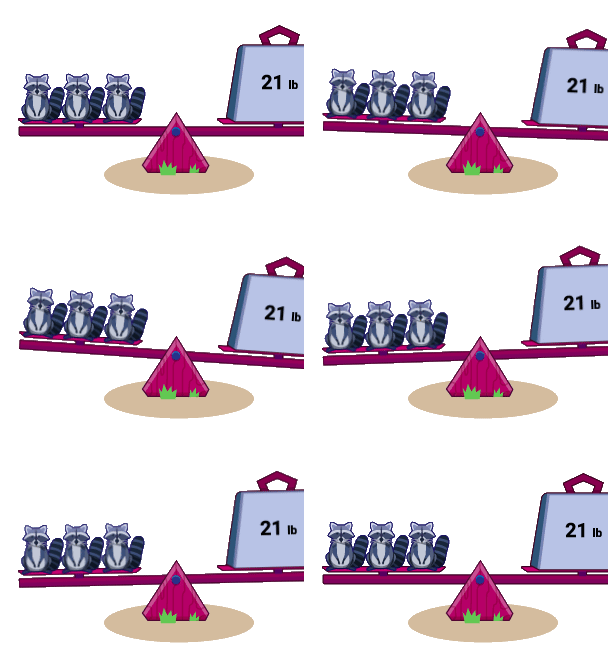
Three raccoons balance on one side of a seesaw, while a 21 lb weight balances the other side on a grassy surface.
Polypad manipulatives:
A square divided into seven colorful geometric shapes: two triangles, two parallelograms, one square, and two smaller triangles in green, red, purple, orange, teal, and magenta.

More than 300,000 teachers turn to Amplify Classroom for captivating lessons and virtual manipulatives.

Grade 1 Math

Leaping Lily Pads

Grade 6 Science

Behaviors and Structures Support Survival

Kindergarten Literacy

The Boy and the Violin

Grades K–12

Polypad manipulatives

Algebra 1

Shelley the Snail

Get your classroom buzzing with our powerful teaching tools.

Tailor lessons to fit your needs.

Share and celebrate student ideas.

Take snapshots of classwork to foster discussion and highlight student thinking.

Gain insights into student thinking.

Monitor your students’ ideas in real time so you can adapt instruction on the fly.

Control the flow of instruction.

Pace students to specific parts of the lesson, or pause to explore concepts more deeply.

What are people saying?

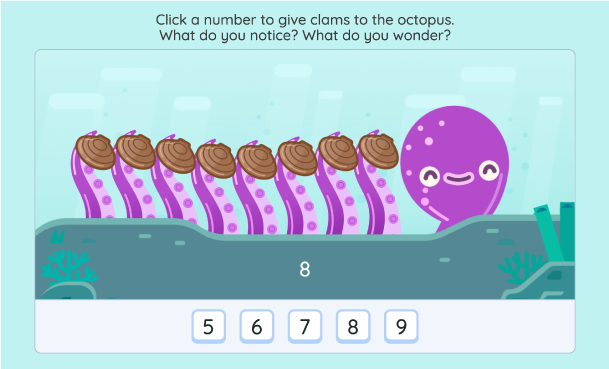
A purple octopus with eight tentacles, each holding a clam, is shown above a row of number buttons labeled 5, 6, 7, 8, and 9. The number 8 is highlighted.

Martin Joyce

@martinsean

Love this #AmplifyClassroom kindergarten activity! First the octopus checks sums of 8 then the sea urchin comes out. Great job. I’ve been wary about making my kids not hate math (no drill n kill) and they’re asking can we do math on the computer before bed. Yes! Cc @ddmeyer

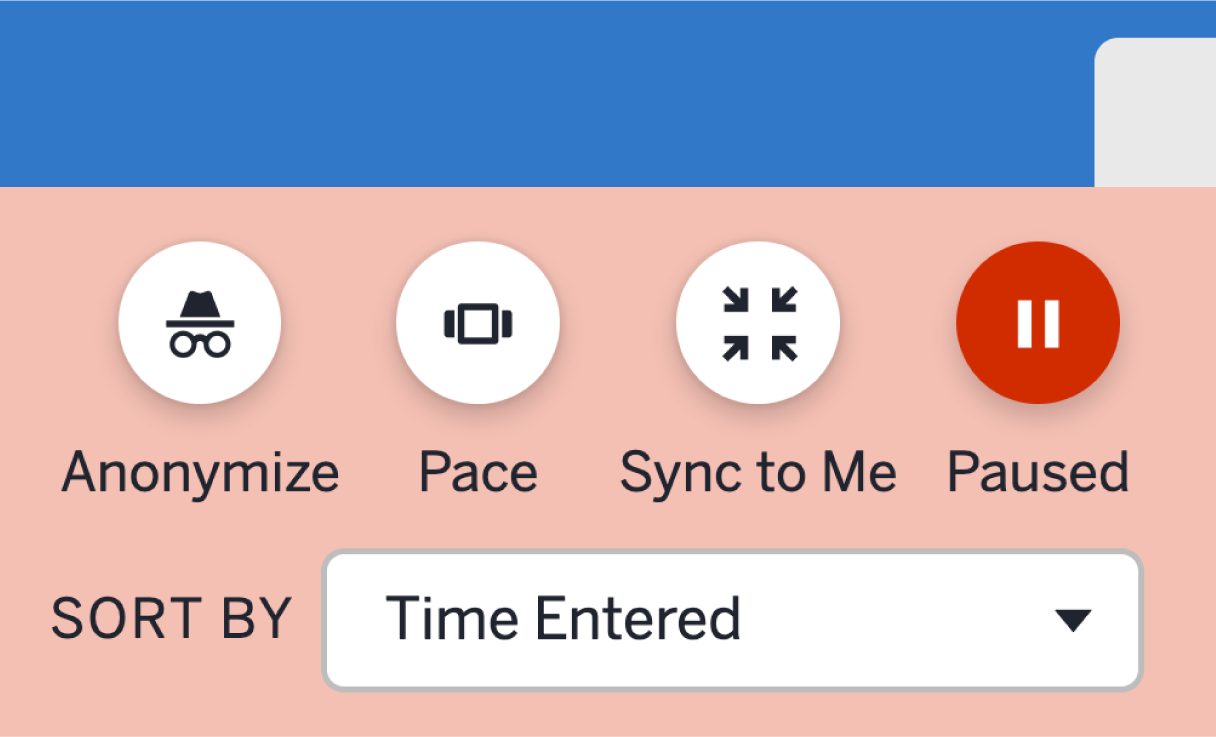
A user interface with four circular icons—Anonymize, Pace, Sync to Me, and Paused—above a dropdown menu labeled "Sort by Time Entered," designed as a free teaching platform for easy access to lesson plans.

Traci Jackson

@traciteacher

After an audible groan b/c the activity was paused, Ss made sense of ordered pairs through a purposeful #AmplifyClassroom experience! This S pair wrote without any prompting. Great collaboration and learning in 5th grade today!

Mark Labuda

@mrmlabuda

Hands down the best virtual manipulatives I’ve ever come across.

Screenshot of the Facebook group "Amplify Classroom Educators (formerly Desmos Educators)" with a join group button, highlighting educational images, group details, and access to free teaching resources.

Join our community

More than 30,000 educators share advice, lessons, wins, and more in our Amplify Classroom Educators Group. Be a part of the conversation!

Interested in learning about the benefits of being an Amplify customer?

Amplify Classroom FAQ

Amplify Classroom (formerly Desmos Classroom) is a free K–12 teaching platform that gives educators access to a library of high-quality, interactive lessons in math, literacy, and science. The platform is built with tools that promote student engagement and collaboration, while giving teachers real-time visibility into student thinking.

Amplify Classroom supports K–12 educators across math, science, and literacy. The platform offers more than 1,000 free interactive lessons, with content designed to build deeper understanding and student engagement at every grade level.

No. Teachers can create a free Amplify Classroom account and immediately access teaching tools and hundreds of lessons without a district license or subscription. Paid programs such as Amplify Desmos Math and Amplify Core Knowledge Language Arts (CKLA) also run on Amplify Classroom, and you can access that content through the same platform if your school or district subscribes to these programs.

Some schools and districts require that specific URLs be added to their allowlist before teachers can access Amplify Classroom. A full list of permitted domains can be found at amplify.com/allowlist. Teachers should share this information with their school or district IT team.

Amplify Classroom offers built-in tools that promote real-time teacher visibility and student engagement. Key features include:

  • Real-time student insights: See student responses and thinking as they happen, all in one easy-to-use teacher dashboard.
  • Teacher pacing controls: Pause a lesson or advance all student screens simultaneously.
  • Select and sequence student work: Highlight student ideas live by selecting and sharing student work during a discussion.
  • Anonymous student sharing: Display student work to the class without showing students’ real names.
  • Lesson customization: Copy and edit pre-built K–12 lessons or build your own from scratch using our drag-and-drop lesson builder.
  • Class management tools: Create and manage multiple classes, add co-teachers, and organize rosters.

Yes. Teachers can customize our K–12 lessons or even create lessons from scratch to meet their students’ unique needs. This includes adding things like pre-made screens, images, multiple-choice questions, graphs, and more with our drag-and-drop lesson builder.

Yes. Many teachers use Amplify Classroom to supplement their existing curriculum. The platform can be integrated into any part of a teacher’s day, with a wide library of lessons and tools for core or supplemental instruction.

For schools seeking a full core curriculum, Amplify also offers paid programs including Amplify Desmos Math and Amplify CKLA, both fully integrated into the platform.

Yes. Amplify Classroom supports signing in with Google. Teachers can import class rosters directly from Google Classroom to streamline setup. For Amplify customers, Clever integration is available for school and district rostering. You can learn more about our integrations here.

Amplify Classroom is built to facilitate compliance with applicable student data privacy laws, including FERPA, COPPA and other applicable laws related to the collection and use of student data. To provide Amplify Classroom to students, Amplify receives Student Data as a “school official” in accordance with Section 99.31 of FERPA and COPPA guidance, and operates at the direction of the school. You can read more about this in our Acceptable Use Policy and Customer Privacy Policy.

Welcome Reviewers, to Amplify Desmos Math!

Amplify Desmos Math thoughtfully combines conceptual understanding, procedural fluency, and application. Each lesson is designed to tell a story by posing problems that invite a variety of approaches before guiding students to synthesize their understanding of the learning goals.

Scroll to learn more about the program and explore sample materials.

About the program

We believe in math that motivates. Our structured approach to problem-based learning builds on students’ curiosity to develop lasting grade-level understandings for all students. 

The program thoughtfully combines conceptual understanding, fluency, and application, motivating students with interesting problems they are eager to solve. Teachers can spend more time where it’s most impactful: creating a collaborative classroom of learners.

A powerful suite of math resources

Amplify Desmos Math combines the best of problem-based lessons, intervention, personalized practice, and assessments into a coherent and engaging experience for both students and teachers.

A digital interface displays a math screener report on the left and a math problem involving division, alongside a visual representation of students lined up on the right, integrating rich math resources from Amplify Desmos Math.

Screening and progress monitoring

mCLASS® Assessments, along with daily formative checks, measure not only what students know, but also how they think. The asset-based assessment system provides teachers with targeted, actionable insights, linked to core instruction and intervention resources.

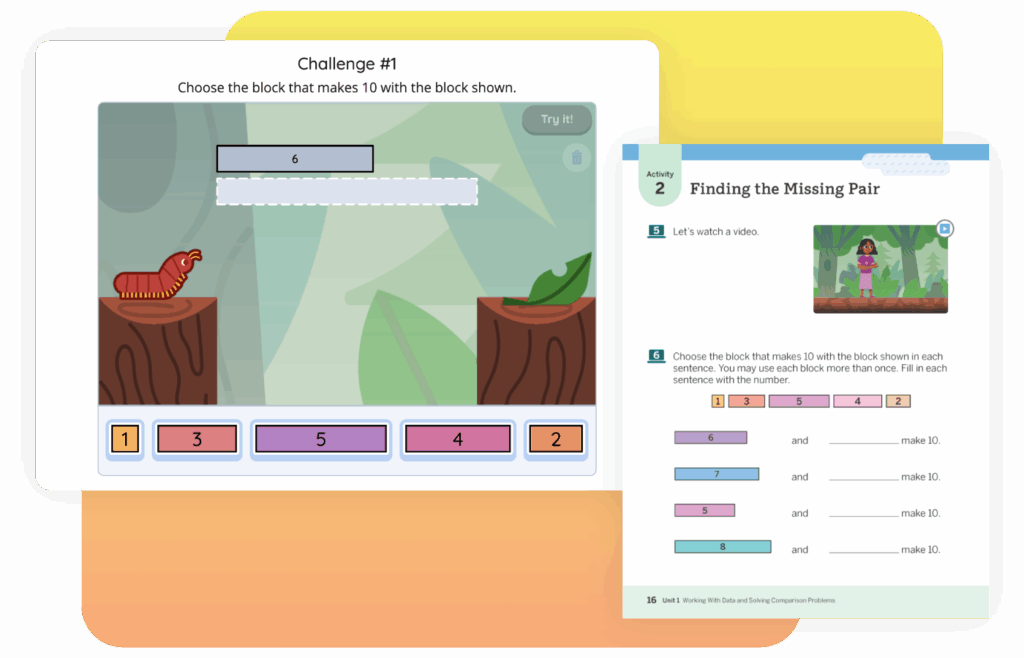
Two side-by-side math activities for children: on the left, a caterpillar-themed block challenge, and on the right, a worksheet for finding pairs that sum to 10. These exercises are fantastic ways to amplify children's engagement with math concepts.

Core instruction

Amplify Desmos Math lessons provide a structured approach to problem-based learning, helping teachers create a collaborative math community with students at its center. Each lesson systematically builds on students’ curiosity to develop lasting grade-level understandings for all students.

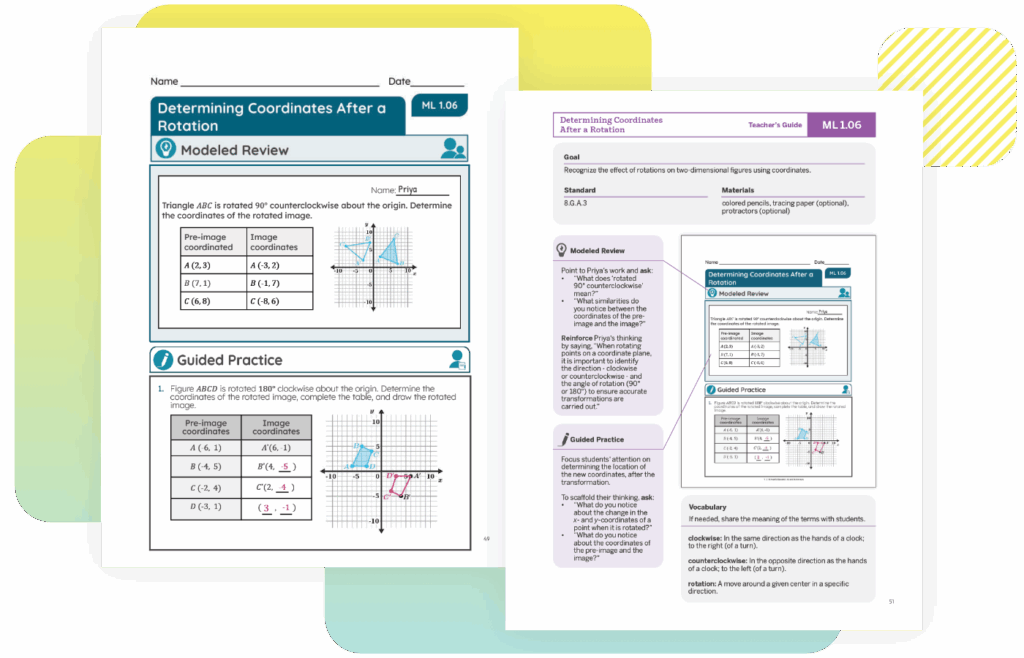
Two pages from a New York math textbook on determining coordinates after a rotation. Includes sections on modeled review, guided practice, and teacher's notes, with diagrams and examples that amplify the learning experience.

Differentiation and intervention

Integrated resources like Mini-Lessons, Fluency Practice, and Math Adventures provide targeted intervention on a specific concept or skill connected to daily instruction. Extensions are also available to stretch students’ understanding.
Boost™ Personalized Learning activities help students access grade-level math through engaging, independent digital practice. Responsive Feedback™ adjusts to students’ work, providing item-level adaptivity to further support their learning.

Two pages from a New York math textbook on determining coordinates after a rotation. Includes sections on modeled review, guided practice, and teacher's notes, with diagrams and examples that amplify the learning experience.

An approach that supports teachers

Clear, step-by-step instructional moves help teachers plan and teach student-centered lessons that use student thinking to differentiate instruction and guide to grade-level understanding. They include:

  • Guidance on what to listen for and how to respond.
  • Clear learning objectives to keep learning on track for each activity and lesson.
  • Daily reinforcement activities to provide direct instruction when needed.

A structured approach to problem-based learning

Problem-based learning asks students to make sense of and think strategically about mathematically interesting problems. This approach allows students’ ideas to take
center stage, so they are active and engaged in their learning process. Teachers are able to hear and respond to student thinking in real time, guiding and differentiating instruction right in the moment.

Moving from “I do, We do, You do” to “You do, We do, I do”
Lessons begin by activating student’s prior knowledge and curiosity, inviting them to explore the math, collaborate, and refine their thinking. By focusing on developing student thinking first, teachers can better connect ideas, guide learning, and synthesize learning objectives.

Lessons that are rigorous and delightful

Every lesson in Amplify Desmos Math is designed to put students at the center of their learning. Utilizing research-based best practices, students engage in meaningful work based on rich problems and real-world experiences.

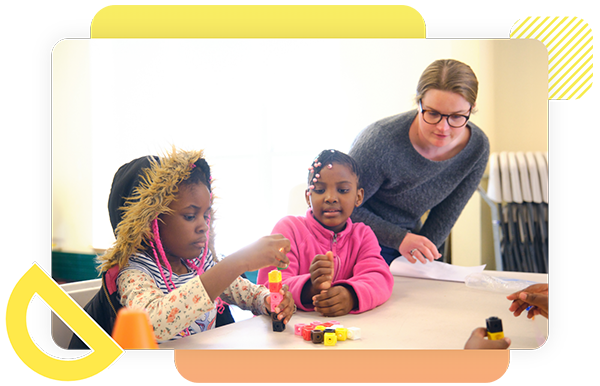
Two young girls build with colorful blocks at a table while an adult woman observes and assists them in a classroom setting.

Warm-Up

Lessons begin by inviting every student to contribute to the mathematical discussion. Instructional routines are often used to build fluency, set the context, activate prior knowledge, or highlight a strategy that may be helpful in the lesson. 

Rich learning activities

Math knowledge is built through experiences and meaningful interactions. Students notice, wonder, explore, calculate, predict, measure, explain their thinking, use math to settle disputes, create challenges for their classmates, and more. Teachers serve as a guide, using a Launch, Monitor, Connect framework:

  • Launch: Teachers offer a short introduction to the problem or challenge
  • Monitor: As students work individually, in pairs, or in groups, teachers ask questions and provide support to move student thinking closer to the intended math goal.
  • Connect: Teachers connect student ideas to the Key Takeaway of the activity to help students synthesize and solidify the big ideas.

Synthesis

Teachers ensure that students end the lesson with accurate and enduring understandings of the math goal through synthesis of student ideas, explicit instruction, and reflection.

A short Show What You Know assessment allows students to show what they know about the learning goals of the lesson and reveal what they are still learning.

Differentiation and practice

Lasting understanding requires reinforcement. Every lesson offers Lesson Practice instructional recommendations to Support, Strengthen, and Stretch learning.

Two side-by-side math activities for children: on the left, a caterpillar-themed block challenge, and on the right, a worksheet for finding pairs that sum to 10. These exercises are fantastic ways to amplify children's engagement with math concepts.

Print for every lesson with engaging digital experiences

Whether in print or digital form, engaging interactions enable students and teachers to openly exchange ideas. Each lesson includes student print materials, interactive teacher Presentation Screens, and digital resources for practice and differentiation. Some lessons also use manipulatives or provide options for students to use devices individually or in pairs. Device recommendations for student use are age-appropriate, with more frequent usage in middle and high school.

Demo access

Please login to the digital platform to experience our full program as part of your review. In order to access the digital platform, you’ll need to log into using your unique login credentials below.

  • Click the orange button below to access the platform.
  • Click “Log in with Amplify.”
  • Enter the username and password:
    • Username:
    • Password:
  • View the video for helpful platform navigation tips.

Assessments

By starting with what students already know, Amplify Desmos Math helps build a strong foundation for success to guide and support future learning. Teachers are empowered to transform every classroom into an engaged math community that invites, values, and develops student thinking. With explicit guidance on what to look for and how to respond, teachers can effectively support students as they develop their understanding.

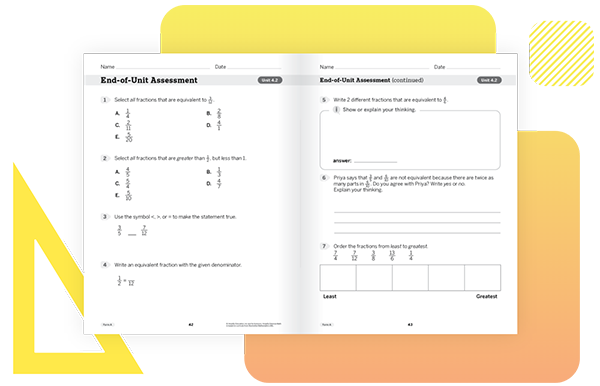
Open math workbook showing an End-of-Unit Assessment with multiple-choice and written response questions on fractions and equivalent values.

Program assessments

A variety of performance data in Amplify Desmos Math provides evidence of student learning while helping students bolster their skills and understanding.

Unit-Level Assessments

Our embedded unit assessments offer key insights into students’ conceptual understanding of math. These assessments provide regular, actionable information about how students are thinking about and processing math, with both auto-scoring and in-depth rubrics that help teachers anticipate and respond to students’ learning needs.

Lesson-Level Assessments

Amplify Desmos Math lessons are centered around sense-making and in-the-moment feedback. Daily moments of assessment provide valuable evidence of learning for both the teacher and student.

Data and reporting

Amplify Desmos Math provides teachers and administrators with unified reporting and insights so that educators have visibility into what students know about grade-level math—and can plan instruction accordingly for the whole class, small groups, and individual students.

A table displays students' performance levels across various items, with a detailed score distribution for a specific assessment shown in a separate overlay. Geometric design elements accented the background, providing an engaging visual touch ideal for any math classroom using Amplify Desmos Math.

Assessment reports

Reporting functionality integrates unit assessments, lesson assessments, personalized learning, Benchmark assessments, and Progress Monitoring for a comprehensive look at student learning.

Our reports show proficiency and growth by domain, cluster, standard, and priority concept using performance data from unit assessments. Then our reports highlight areas of potential student need to allow teachers to modify their instruction and target differentiated support.

At-a-glance views of unit-level assessment results inform your instructional planning, and you can also drill down to item-level analysis.

Standards reports

Our standards report allows you to monitor proficiency at the class and individual student levels. Proficiency and growth are shown by domain, cluster, standard, and priority concepts. Areas of potential student need are highlighted to allow teachers to modify their instruction and target differentiated support.

Administrator reports

Amplify Desmos Math provides a complete picture of student, class, and district performance, allowing administrators to implement instructional and intervention plans.

  • Track student, class, and district performance with usage, completion, and assessment data.
  • Accurately group students and classes with the Benchmark and Progress Monitoring data of mCLASS Assessments and allow teachers to reliably implement and track the progress of Tier 2 and Tier 3 intervention.
  • Provide one data-driven solution that educators can rely on for high-quality math instruction.

Differentiation and intervention

Amplify Desmos Math views differentiation as an ongoing process where teachers are both reactive and proactive to student needs, ensuring that all students have clear pathways to proficiency. Through rich data and teacher support, Amplify Desmos Math uses flexible categories of intervention and enrichment that adjust daily according to student thinking.

In-the-moment differentiation supports are available for every lesson, both digitally and in the print Teacher Edition.

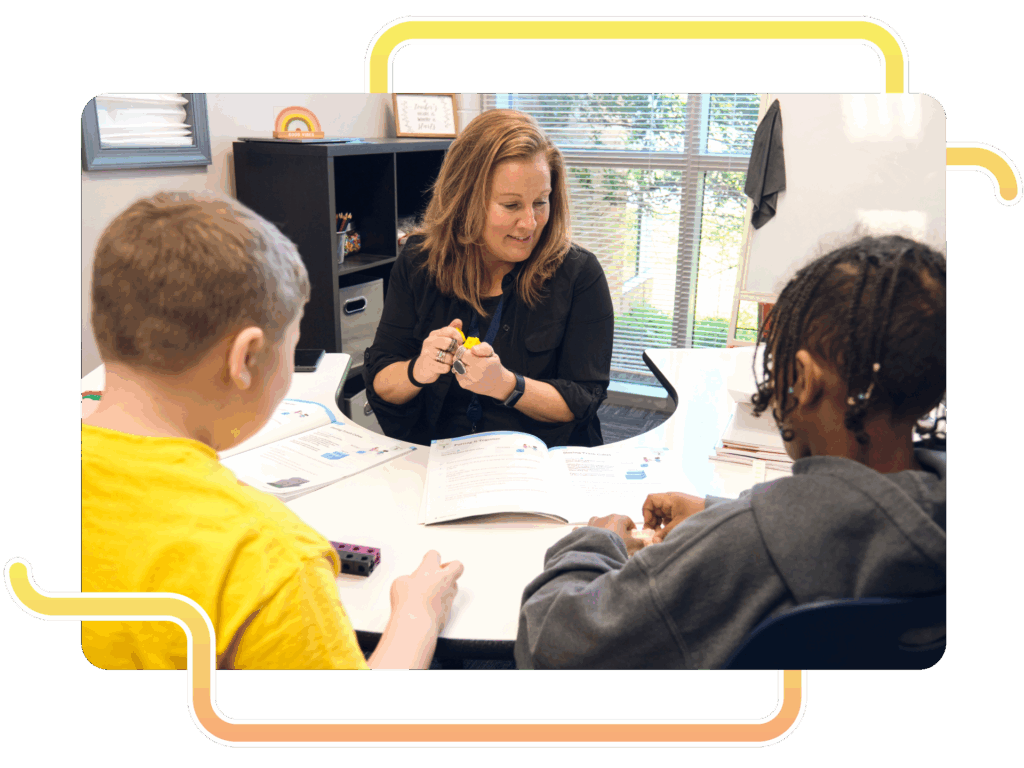
A teacher sits at a table with two students, using small objects and a workbook to provide individualized instruction during a Boost Math lesson in a classroom with large windows.
A table showing differentiation teacher moves with examples of representing groups in different ways, support prompts, and a stretch question about patterns with more teams.

In-lesson differentiation

Within every lesson activity, teachers can use the suggestions in the Differentiation Teacher Moves table to provide in-the-moment instructional support while students are engaged in the work of the lesson. This table can help teachers anticipate the ways students may approach the activity, and provides prompts that they can use during the lesson to Support, Strengthen, and Stretch individual students in their thinking. Teachers are provided with clear student actions and understanding to look for, each matched with immediately usable suggestions for how to respond to the student thinking illustrated in each row of the table. In addition to using these suggestions in the moment as teachers monitor student work, teachers can review the Differentiation table in advance to help them anticipate how students are likely to approach the activity.

Differentiation: Beyond the Lesson

Teachers are provided with recommendations for resources to use with each group of students needing support, strengthening, and stretching after each lesson. Support, Strengthen, and Stretch resources include:

  • Mini-Lessons: 15-minute, small-group direct instruction lessons targeted to a specific concept or skill
  • Item Banks: Space for teachers to create practice and assessments by using filters and searching for standards, summative-style items, and more
  • Fluency Practice: Adaptive, personalized practice built out for basic operations and more
  • Centers (K–5): Lesson-embedded routines and practice for students that are vertically aligned across grade levels
  • Extensions: Lesson-embedded Teacher Moves including possible stretch questions and activities for students
  • Lesson Practice: Additional practice problems support every lesson
  • Math Adventures: Strategy-based math games where students engage with math concepts and practice skills in a fun digital environment
Two pages from a math workbook on determining coordinates after a rotation, with diagrams, problem sets, and instructional text, displayed on a yellow and gray background.
A classroom teaching guide displays strategies for discussing pre-image and image in math, goals for a parallelogram lesson, and tips for supporting multilingual learners.

Multilingual/English Learner supports

Supports for multilingual/English learners (ML/ELs) are called out at intentiSupports for multilingual/English learners (ML/ELs) are called out at intentional points within each lesson. These suggested supports are specific, targeted actions that are beneficial for ML/ELs. They often describe a modification to increase access to the task or provide support with contextual or mathematical language development that can often be helpful to all learners. ML/EL supports may also be attached to Math Language Routines.onal points within each lesson. These suggested supports are specific, targeted actions that are beneficial for ML/ELs. They often describe a modification to increase access to the task or provide support with contextual or mathematical language development that can often be helpful to all learners. ML/EL supports may also be attached to Math Language Routines.

Math Language Development

Every lesson in Amplify Desmos Math includes opportunities for all students to develop mathematical language as they experience the content. Amplify Desmos Math purposefully progresses language development from lesson to lesson and across units by supporting students in making their arguments and explanations stronger, clearer, and more precise. This systematic approach to the development of math language can be broken down into the following four categories of support:

  • Vocabulary: Units and lessons start by surfacing students’ language for new concepts, then building connections between their language and the new vocabulary for that unit.
  • Language goals: Language goals attend to the mathematics students are learning, and are written through the lens of one or more of four language modalities: reading, writing, speaking, and listening.
  • Math Language Routines: Math Language Routines are used within lessons to highlight student-developed language and ideas, cultivate conversation, support mathematical sense-making, and promote meta-cognition.
  • Multilingual/English learner supports: Supports for multilingual/English learners (ML/ELs) are called out at intentional points within each lesson.
Two girls sit at a table with open books, one making hand gestures while smiling, the other looking at her and giving a thumbs up. Behind them are shelves filled with books, capturing the lively atmosphere of a math classroom.
Digital educational material showing an activity named "Hamster Homes" involving tube length and platform heights for a hamster cage. Includes a diagram with platforms measuring 9 inches.

K-5 sample materials

Click the links in the drop-down sections below to explore sample materials from each grade. For a full program review, please login to the digital platform or request physical samples.

For helpful navigation tips and more program information, download the Amplify Desmos Math Program Guide.

You can also watch a product expert walk through a lesson and the available program components.

Cover of Amplify Desmos Math Grade K Teacher Edition featuring three children playing with math-related objects and a group of rabbits sitting nearby, aligning with the engaging curriculum seen in New York math classrooms.

Teacher Edition

Planning and instructional guidance is visual, organized, and easy-to-follow. To help you preview the program, we have included samples from a complete sub-unit on this site: Unit 2, Sub-Unit 2: Counting and Comparing Images.

Cover of "Amplify Desmos Math: Student Edition Kindergarten," featuring an illustration of three children playing with math-related toys. A group of small white animals, possibly hamsters, play nearby. The scene brilliantly captures the joy of New York math exploration for young learners.

Student Edition

Motivate students with mathematics that is both rigorous and delightful. To help you preview the program, we have included samples from a complete sub-unit on this site: Unit 2, Sub-Unit 2: Counting and Comparing Images.

Cover of "Amplify Desmos Math Grade K Centers Resources" featuring a large, stylized red and pink "C" on a light pink background with simple geometric designs. This distinctive cover complements New York math curriculums with its engaging visual elements.

Ancillary sampler

Included in the ancillary sampler are examples from the program Assessment Resources, Intervention and Extension Resources, Centers Resources, Additional Practice, and Math Language Development Resources.

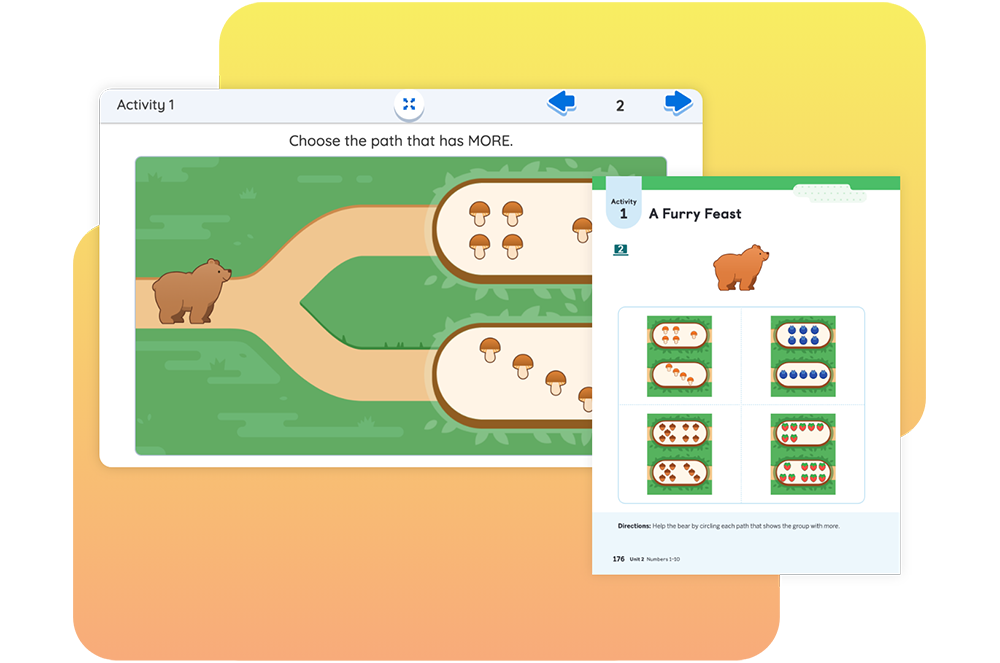
A digital activity screen, crafted in the style of Amplify Desmos Math, shows two paths with different quantities of mushrooms. The user is prompted to choose the path with more mushrooms. A bear is on the left side of the screen.

In this lesson, students apply their understanding of how to compare groups of images as they determine which group has more or fewer and then compare their strategies by guiding a bear through a path that has more mushrooms than the other.

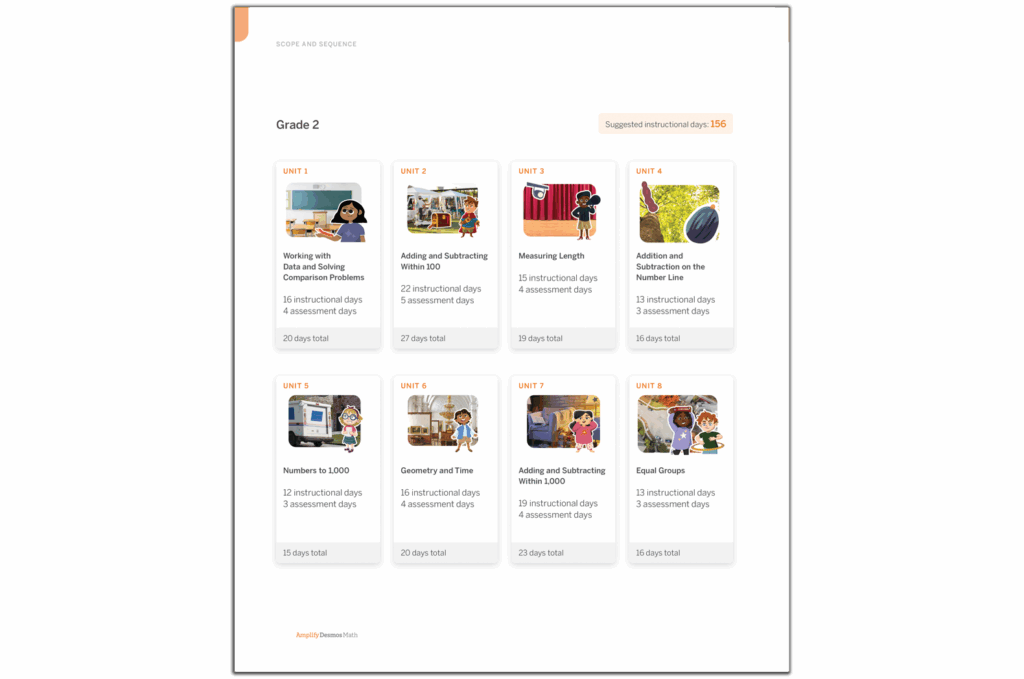
Children interact with math activities on a large tablet while observing fish illustrations. The text reads "Amplify Desmos Math Grade 1 Teacher Edition, aligned with New York Math standards.

Skills Unit 2 Teacher Guide

Planning and instructional guidance is visual, organized, and easy-to-follow. To help you preview the program, we have included samples from a complete sub-unit on this site: Unit 1, Sub-Unit 1: Adding and Subtracting Within 10.

Illustration of three children engaged in math activities from the "Amplify Desmos Math: Student Edition 1" textbook. One child holds a number card, while the others manipulate counters and images, experiencing an exciting approach inspired by New York math techniques.

Student Edition

Motivate students with mathematics that is both rigorous and delightful. To help you preview the program, we have included samples from a complete sub-unit on this site: Unit 1, Sub-Unit 1: Adding and Subtracting Within 10.

Cover of "Amplify Desmos Math Centers Resources" for Grade 1, featuring a yellow and white 3D letter "C" on a light background.

Ancillary sampler

Included in the ancillary sampler are examples from the program Assessment Resources, Intervention and Extension Resources, Centers Resources, Additional Practice, and Math Language Development Resources.

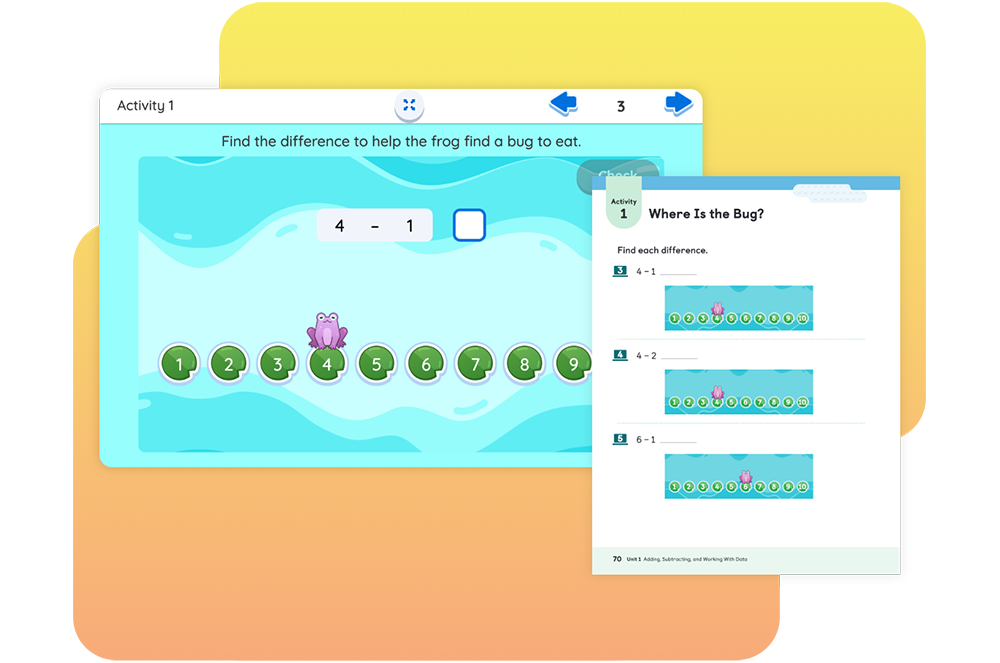
An educational game screen, inspired by New York math standards, shows a subtraction problem, "4 - 1," with a frog moving along numbered lily pads to reveal the answer "3.

In this lesson, students find differences when subtracting 1 and 2 from the same number by helping a frog reach a lily pad where it can eat a bug.

Cover of the "Amplify Desmos Math" Grade 2 Teacher Edition, showcasing children measuring with rulers and a poster displaying a mathematical equation, set against whimsical scenery with a colorful dragon. Perfect for New York math classrooms.

Teacher Edition

Planning and instructional guidance is visual, organized, and easy-to-follow. To help you review the program, we have included samples from a complete sub-unit on this site: Unit 1, Sub-Unit 1: Adding and Subtracting.

Cover of "Amplify Desmos Math Student Edition 2" showing three children performing a New York math activity with blocks and measurements.

Student Edition

Motivate students with mathematics that is both rigorous and delightful. To help you preview the program, we have included samples from a complete sub-unit on this site: Unit 1, Sub-Unit 1: Adding and Subtracting.

Cover of an educational book titled "Amplify Desmos Math Grade 2 Centers Resources" featuring a green "C" on a light green background, perfect for enhancing New York math education.

Ancillary sampler

Included in the ancillary sampler are examples from the program Assessment Resources, Intervention and Extension Resources, Centers Resources, Additional Practice, and Math Language Development Resources.

An educational activity where users must select the block with the correct number to make a total of 10 using the given block numbers. The UI, inspired by New York math standards, features a caterpillar and two tree stumps to amplify engagement with Desmos Math tools.

Students continue to develop fluency by finding the number that makes 10 by helping a millipede reach its favorite food – a clump of leaves!

Cover of a "Grade 3 Amplify Desmos Math Teacher Edition" book, featuring a cutaway building with diverse students and a teacher working on New York math problems and organizing materials.

Teacher Edition

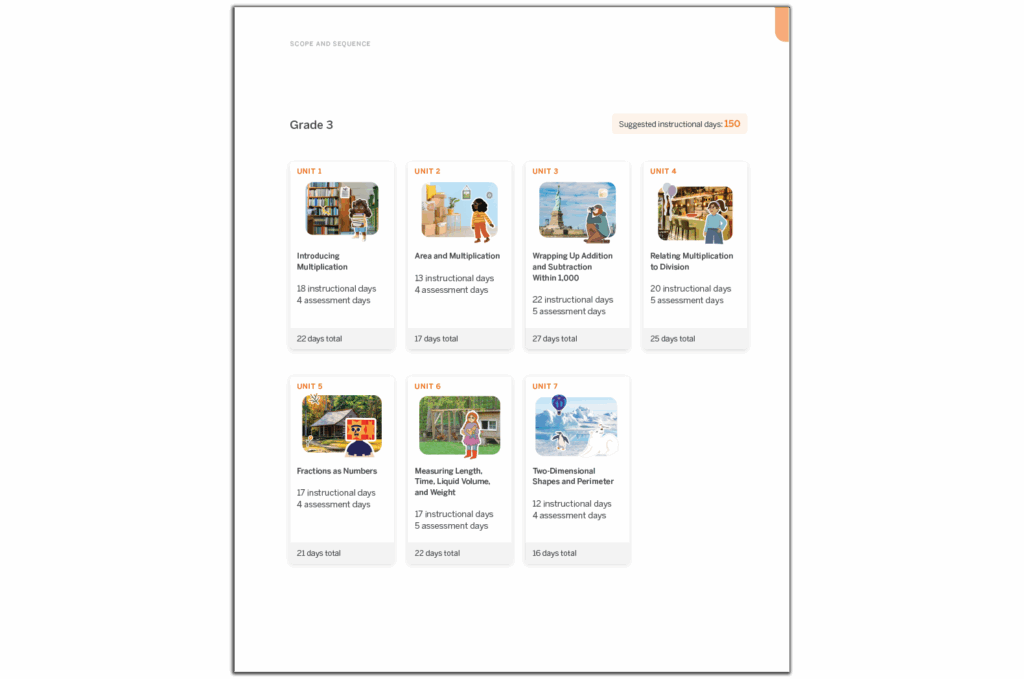
Planning and instructional guidance is visual, organized, and easy-to-follow. To help you review the program, we have included samples from a complete sub-unit on this site: Unit 1, Sub-Unit 3: Data on Scaled Graphs.

Cover of "Amplify Desmos Math Student Edition 3" showcasing illustrated children engaged in various mathematical activities inside a glass house structure, reflecting the dynamic energy of New York math.

Student Edition

Motivate students with mathematics that is both rigorous and delightful. To help you preview the program, we have included samples from a complete sub-unit on this site: Unit 1, Sub-Unit 3: Data on Scaled Graphs.

Cover of the Amplify Desmos Math Grade 3 Centers Resources book, featuring a 3D letter "C" in blue and white on a minimalistic background, perfect for aligning with New York math standards.

Ancillary sampler

Included in the ancillary sampler are examples from the program Assessment Resources, Intervention and Extension Resources, Centers Resources, Additional Practice, and Math Language Development Resources.

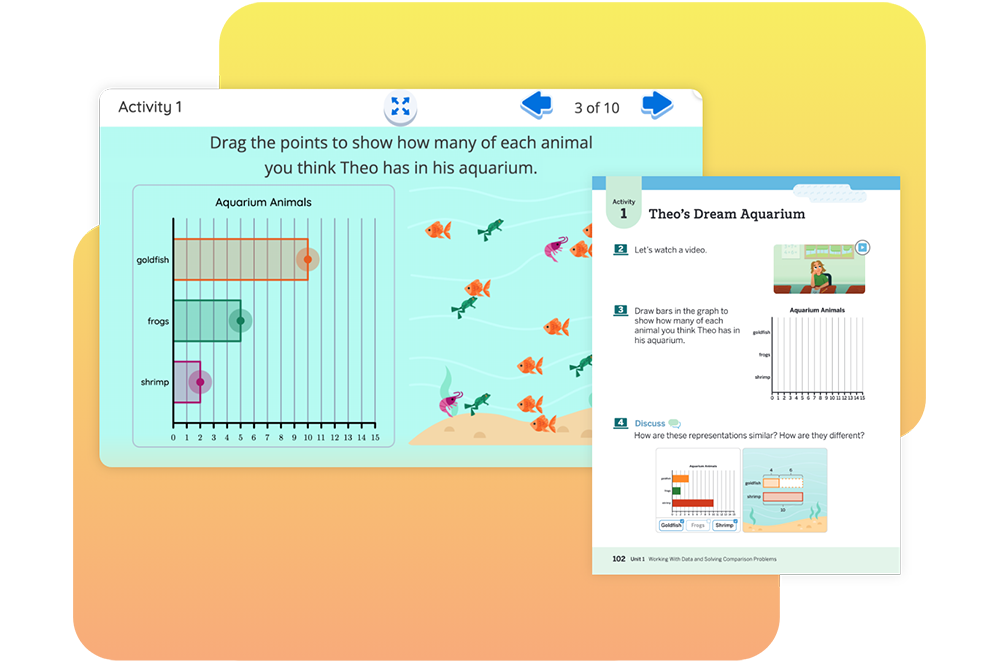
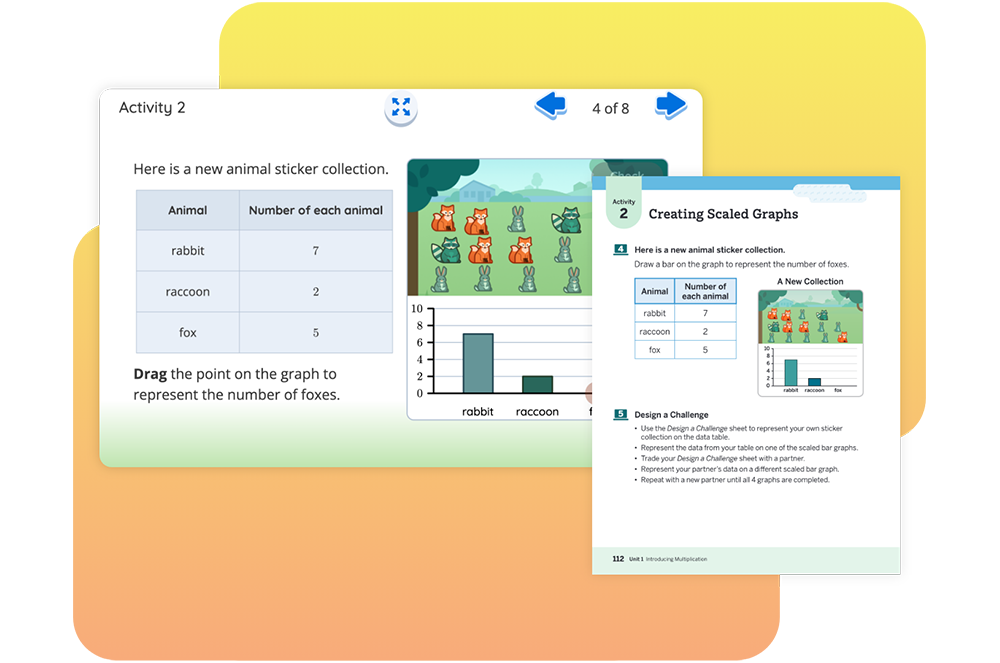
A page titled "Activity 2" features a table showing counts of rabbits, raccoons, and foxes, an image of animal stickers, and a bar graph representing the number of each animal, designed to amplify your New York math lesson with engaging visual data.

Students compare data represented on bar graphs with different scales by using animal stickers to create scaled bar graphs.

Cover of "Amplify Desmos Math: Teacher Edition Grade 4" showing children learning New York Math outdoors, using large mathematical tools and numbers, with one child in a wheelchair.

Teacher Edition

Planning and instructional guidance is visual, organized, and easy-to-follow. To help you review the program, we have included samples from a complete sub-unit on this site: Unit 1, Sub-Unit 2: Using Factors and Multiples.

Cover of "Amplify Desmos Math: Teacher Edition Grade 4" showing children learning New York Math outdoors, using large mathematical tools and numbers, with one child in a wheelchair.

Student Edition

Motivate students with mathematics that is both rigorous and delightful. To help you preview the program, we have included samples from a complete sub-unit on this site: Unit 1, Sub-Unit 2: Using Factors and Multiples.

Cover of the "Amplify Desmos Math" Grade 4 Centers Resources book, featuring a large, stylized blue letter "C" on a light blue background. This essential resource for New York math educators ensures engaging and effective instruction.

Ancillary sampler

Included in the ancillary sampler are examples from the program Assessment Resources, Intervention and Extension Resources, Centers Resources, Additional Practice, and Math Language Development Resources.

Interactive educational activity asking users to determine platform heights using a 3-inch tube. The interface, inspired by Desmos math tools, features a dragging function and feedback system with a checkbox and "Try another" option, amplifying the learning experience.

Students choose tube lengths to connect to platform heights for hamster homes, identifying possible heights using what they know about multiples.

Illustration of three students engaging with various math activities outdoors and around large blocks. Text at the top reads "Amplify Desmos Math, Grade 5, Teacher Edition" - a perfect resource for New York math educators.

Teacher Edition

Planning and instructional guidance is visual, organized, and easy-to-follow. To help you review the program, we have included samples from a complete sub-unit on this site: Unit 1, Sub-Unit 3: Volume of Solid Figures.

Cover of "Amplify Desmos Math: Student Edition, Grade 5" featuring students engaged in various mathematical activities outside, such as block building, measuring, and gardening—a perfect resource aligning with New York math standards.

Student Edition

Motivate students with mathematics that is both rigorous and delightful. To help you preview the program, we have included samples from a complete sub-unit on this site: Unit 1, Sub-Unit 3: Volume of Solid Figures.

Cover image of "Amplify Desmos Math Grade 5 Centers Resources" featuring a large purple letter C on a light purple background, showcasing the innovative approach of Amplify Desmos Math that's making waves in New York math education.

Ancillary sampler

Included in the ancillary sampler are examples from the program Assessment Resources, Intervention and Extension Resources, Centers Resources, Additional Practice, and Math Language Development Resources.

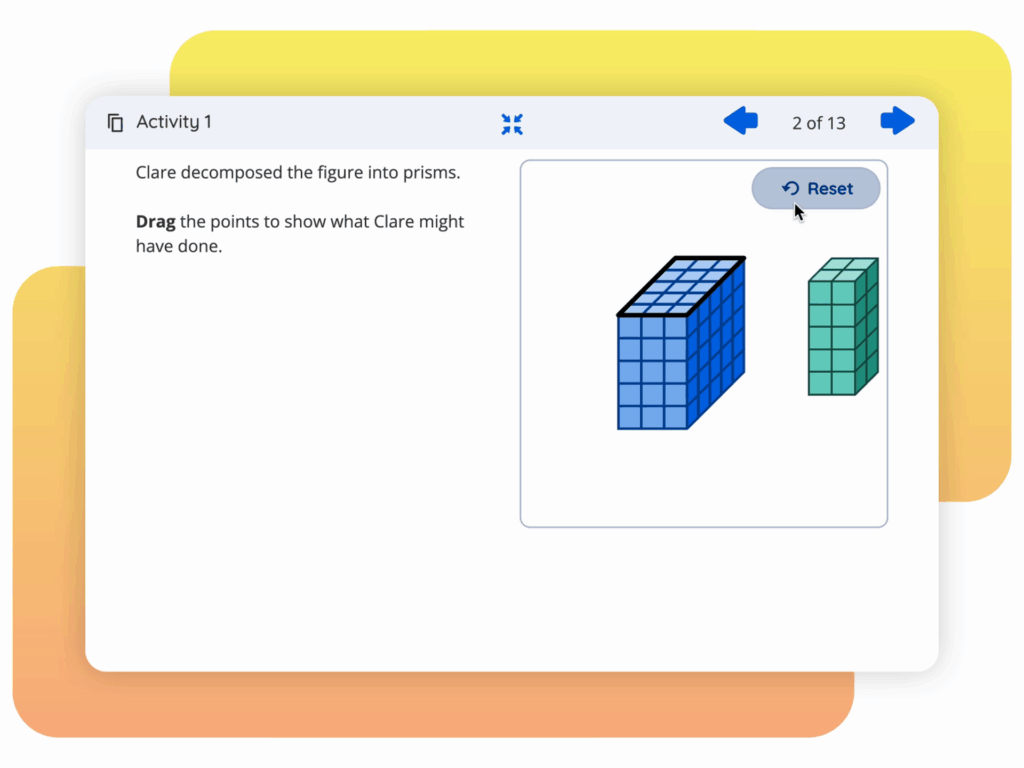
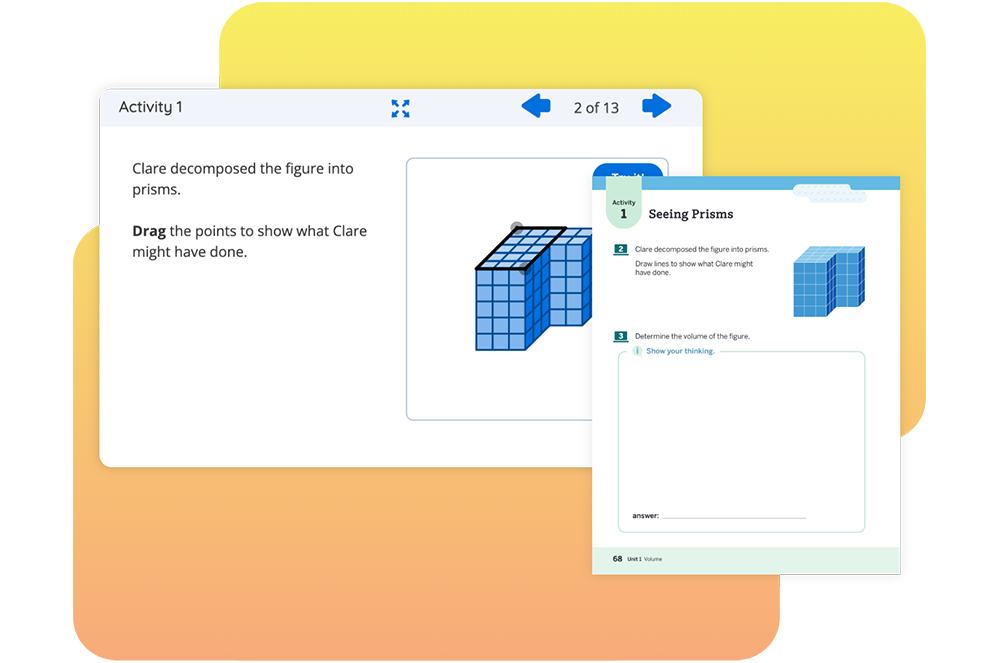
An interactive screen showing an activity about decomposing a figure into prisms, with a touch of Desmos Math integration. The user is asked to drag points to demonstrate the decomposition. Two prism illustrations are displayed, offering a glimpse of New York Math's approach.

Students decompose a figure into rectangular prisms and determine the volume of the figure by adding the volumes of the individual prisms.

6-A1 sample materials

Click the links in the drop-down sections below to explore sample materials from each grade. For a full program review, please login to the digital platform or request physical samples. 

For helpful navigation tips and more program information, download the Amplify Desmos Math Program Guide.

You can also watch a product expert walk through a lesson and the available program components.

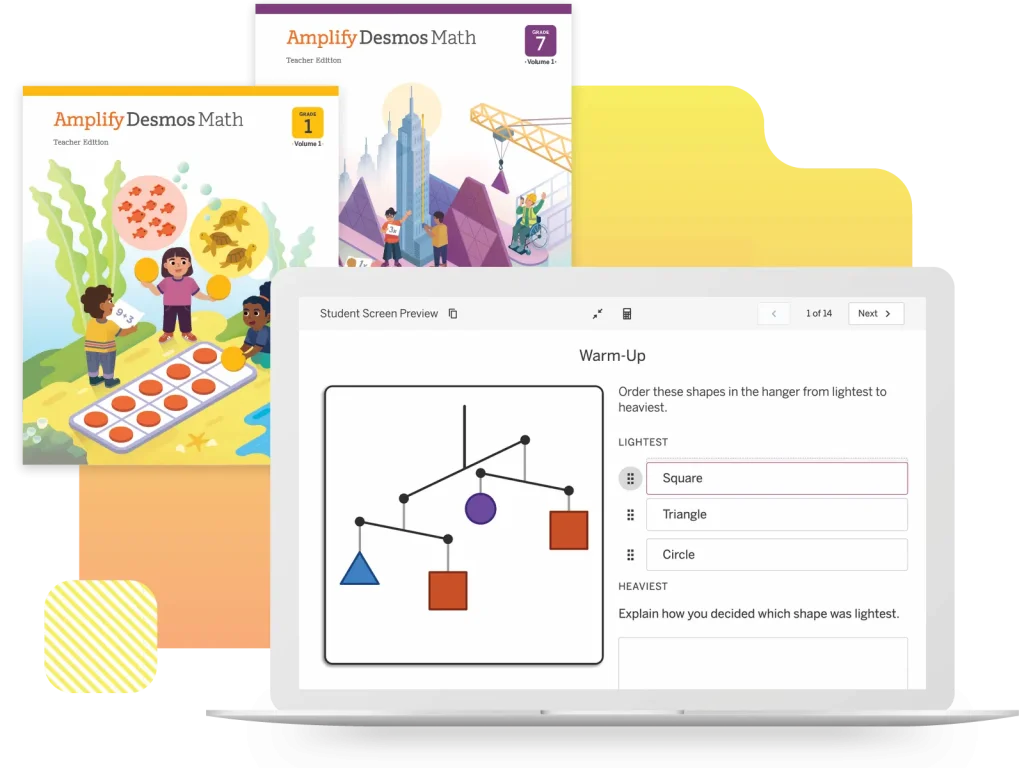
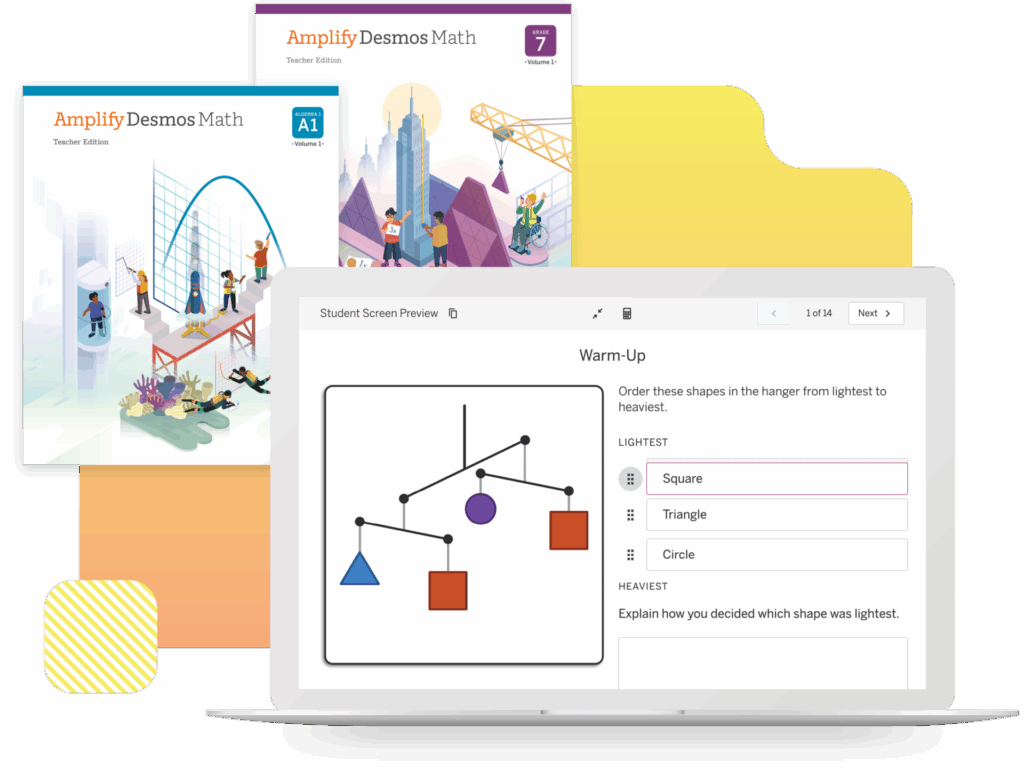
A laptop displays a math warm-up activity with shapes and a scale, in front of two Amplify Desmos Math teacher edition books for grades 1 and 7.
Cover of the Grade 6 Amplify Desmos Math Teacher Edition, showcasing students engaging in various mathematical activities around a balance scale with variables, inspired by New York math educational standards.

Teacher Edition

Planning and instructional guidance is visual, organized, and easy-to-follow. To help you preview the program, we have included samples from a complete sub-unit on this site: Unit 6, Sub-Unit 1: Solving Equations.

Cover of “Amplify Desmos Math, Student Edition, Grade 6” featuring an illustration of children engaging in various New York math-related activities outdoors.

Student Edition

Motivate students with mathematics that is both rigorous and delightful. To help you preview the program, we have included samples from a complete sub-unit on this site: Unit 6, Sub-Unit 1: Solving Equations.

Cover image of "Amplify Desmos Math" for Grade 6, featuring a 3D pink letter "I" and the text "Intervention and Extension Resources." This New York math edition supports students with comprehensive resources.

Ancillary sampler

Included in the ancillary sampler are examples from the program Assessment Resources, Intervention and Extension Resources, Additional Practice, and Math Language Development Resources.

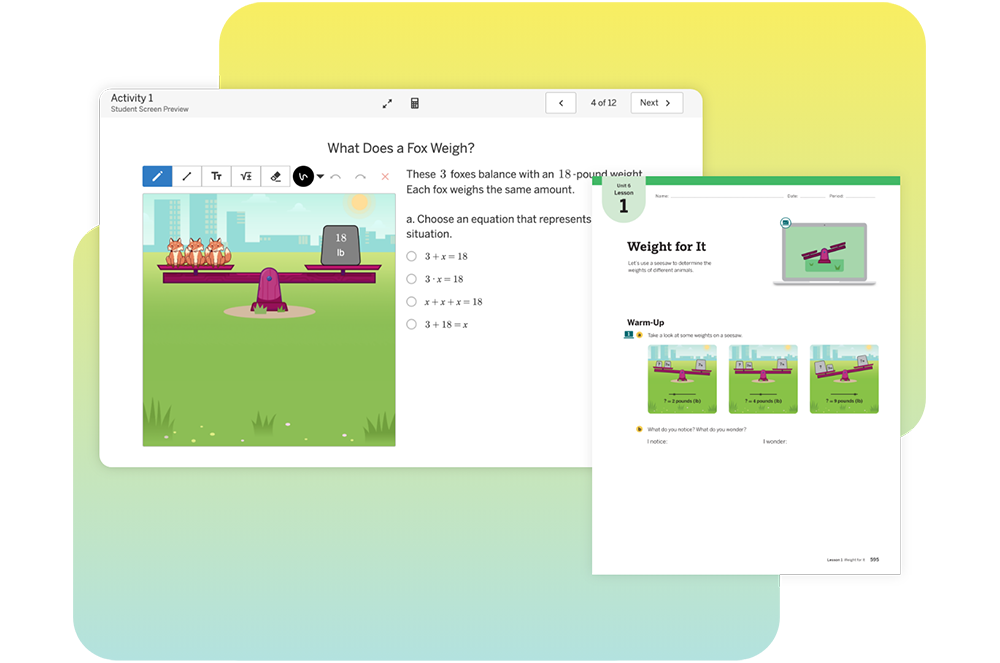
A digital math activity shows foxes on a seesaw balanced with 18-pound weights. A multiple-choice question and text box ask for the weight of a fox in pounds.

Students use equations and tape diagrams to represent seesaw situations and to determine unknown animal weights, helping them make connections between diagrams that represent equations of the form `x+p=q` or `px=q`.

Cover image of "Amplify Desmos Math Teacher Edition Grade 7" featuring an illustration of students engaging in math-related activities with geometric shapes and construction elements against a New York cityscape background.

Teacher Edition

Planning and instructional guidance is visual, organized, and easy-to-follow. To help you preview the program, we have included samples from a complete sub-unit on this site: Unit 6, Sub-Unit 3: Inequalities.

Cover of "Amplify Desmos Math, Student Edition, Grade 7" showing students engaged in math activities against a cityscape reminiscent of New York, with purple geometric structures and a crane in the background.

Student Edition

Motivate students with mathematics that is both rigorous and delightful. To help you preview the program, we have included samples from a complete sub-unit on this site: Unit 6, Sub-Unit 3: Inequalities.

Cover of "Amplify Desmos Math: Grade 7 – Intervention and Extension Resources" featuring a stylized 3D "I" on a light purple background, ideal for both New York math and national curricula.

Ancillary sampler

Included in the ancillary sampler are examples from the program Assessment Resources, Intervention and Extension Resources, Additional Practice, and Math Language Development Resources.

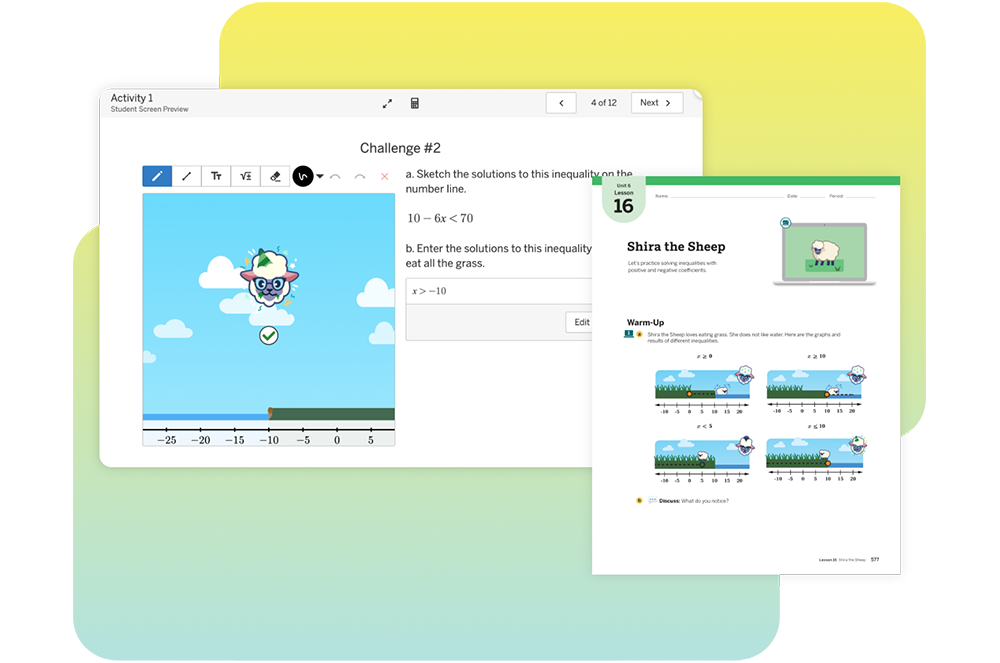
A digital math activity screen shows a character above a number line and a box with the inequality "x > -10" entered. A cursor points to the "Edit my response" button.

Students solve inequalities with positive and negative coefficients to solve a variety of challenges featuring a fictional sheep who eats grass according to an inequality.

Illustration of children engaging in learning activities outdoors near a large slide. The title "Amplify Desmos Math Grade 8 Teacher Edition" is shown at the top, highlighting its relevance to New York math curriculum standards.

Teacher Edition

Planning and instructional guidance is visual, organized, and easy-to-follow. To help you preview the program, we have included samples from a complete sub-unit on this site: Unit 6, Sub-Unit 2: Analyzing Numerical Data.

Cover of the "Amplify Desmos Math" Student Edition for Grade 8, featuring students engaging in various mathematical activities in a stylized outdoor New York setting.

Student Edition

Motivate students with mathematics that is both rigorous and delightful. To help you preview the program, we have included samples from a complete sub-unit on this site: Unit 6, Sub-Unit 2: Analyzing Numerical Data.

Cover of "Amplify Desmos Math Grade 8: Intervention and Extension Resources" featuring a stylized "I" on a gray background, tailored for New York math standards.

Ancillary sampler

Included in the ancillary sampler are examples from the program Assessment Resources, Intervention and Extension Resources, Additional Practice, and Math Language Development Resources.

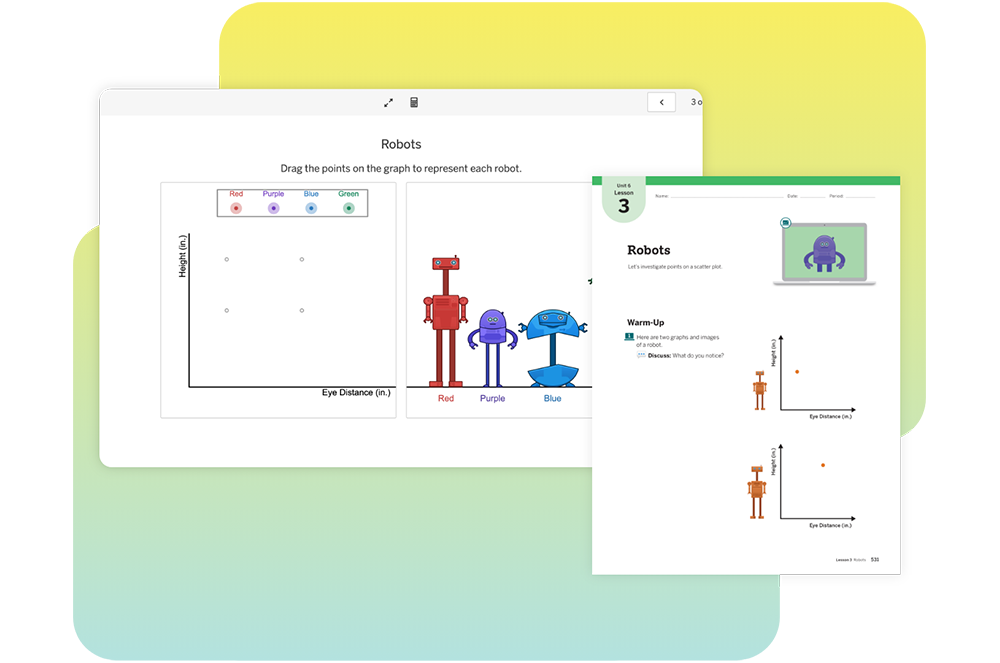
A graph plots four robot colors by height and eye distance; on the right, matching colored robots stand side by side, labeled Red, Purple, Blue, and Green.

Students connect points on a scatter plot with individuals in a population and rows of data in a table. The analysis of scatter plots continues with data about the eye distances and heights of robots.

Cover of "Amplify Desmos Math: Algebra 1, Teacher Edition" featuring diverse characters engaged in mathematical activities, with a graph and a bridge in the background, illustrating the vibrant energy of New York math.

Teacher Edition

Planning and instructional guidance is visual, organized, and easy-to-follow. To help you preview the program, we have included samples from two complete sub-units on this site: Unit 2, Sub-Units 1–2: One-Variable Equations and Multi-Variable Equations.

Cover of "Amplify Desmos Math" Student Edition A1, featuring an illustration of diverse characters engaging in New York math activities against a backdrop of graphs and mathematical concepts.

Student Edition

Motivate students with mathematics that is both rigorous and delightful. To help you preview the program, we have included samples from two complete sub-units on this site: Unit 2, Sub-Units 1–2: One-Variable Equations and Multi-Variable Equations.

Cover of an Amplify Desmos Math Algebra 1 ancillary sampler, featuring students interacting with graphs and mathematical models, including a rocket and a parabola.

Ancillary sampler

Included in the ancillary sampler are examples from the program Assessment Resources, Intervention and Extension Resources, Additional Practice, and Math Language Development Resources.

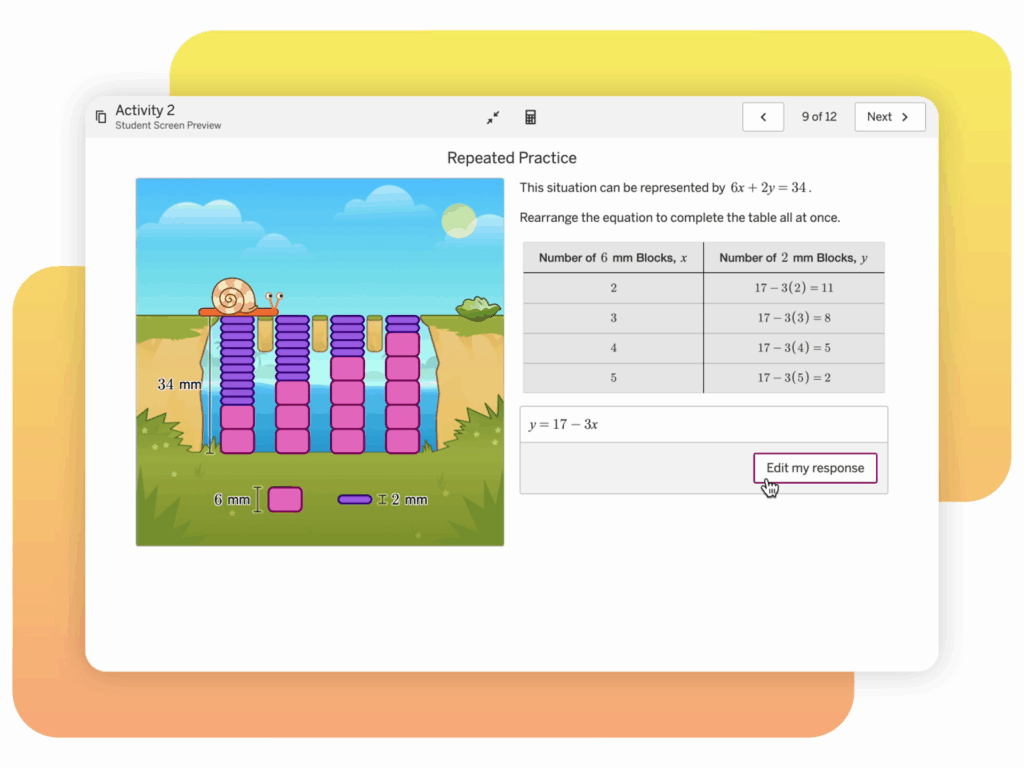
A math activity screen shows a cartoon snail, purple blocks, and a table comparing blocks and a math equation; a cursor hovers over the "Edit my response" button.

Students represent the solutions of a situation using a table, a graph, and multiple forms of an equation to identify multiple combinations of blocks that can help Shelley the Snail cross a gap.

Welcome to Amplify Desmos Math California!

California educators, welcome to math that motivates. Introducing Amplify Desmos Math California, a new, curiosity-driven TK–12 program that builds lifelong math proficiency. Each lesson poses problems that invite a variety of approaches before guiding students to synthesize their understanding of the learning goals. Students encounter math problems they are eager to solve; teachers spend more time where it’s most impactful: creating a collaborative classroom of learners.

Scroll to learn more about the program and explore sample materials.

About the program

Amplify Desmos Math California is a TK–12 core math program designed to meet the CA Math Framework and the Common Core State Standards for Mathematics. Offered in English and Spanish, Amplify Desmos Math California thoughtfully combines conceptual understanding, procedural fluency, and application through a structured approach to problem-based learning. Through engaging activities, Amplify Desmos Math California invites curiosity and math discourse into the classroom to create lifelong math proficiency.

Please scroll to learn more about the K–8 program and explore sample materials. (TK and high school materials are in development and will be available soon.)

A powerful math suite

Amplify Desmos Math California combines the best of assessment, problem-based core lessons, personalized practice, and intervention into a coherent and engaging experience for both students and teachers.

Laptop displaying a math problem interface with student assessment reports in the background.

Assessment

mCLASS benchmark assessments, along with daily formative checks, measure not only what students know, but also how they think. The asset-based assessment system provides teachers with targeted, actionable insights, linked to core instruction and intervention resources. Unit- and lesson-level core assessments give teachers data at their fingertips to guide and differentiate instruction. In grades 3–8, core assessments and performance tasks are designed to prepare students for success on the Smarter Balanced Assessment Consortium (SBAC) testing.

Core instruction

Amplify Desmos Math California core lessons pair problems students are eager to solve with clear instructional moves for teachers. Each lesson is designed to tell a story by posing problems that invite a variety of approaches before guiding students to synthesize their understanding of the learning goals. With built-in differentiation and Multilingual / English Learner support, Amplify Desmos Math California will allow every student to find success in the math classroom.

An educational game screen with a worm on a log and numbered blocks. Adjacent is a worksheet titled "Finding the Missing Pair" with instructions and incomplete equations.
A digital educational screen showing a math problem about converting meters to centimeters. It involves a diving toy sinking 5 meters into a pool. Text prompts users to input the conversion.

Personalized learning

Boost Personalized Learning activities help students access grade-level math through engaging, independent digital practice. Responsive Feedback adjusts to students’ work, providing item-level adaptivity to further support their learning.

Intervention

Integrated resources like Mini-Lessons, Fluency Practice, and Math Adventures provide targeted intervention on a specific concept or skill connected to the daily lesson. Extensions are also available to stretch students’ understanding.

Two pages of a math workbook displaying exercises on determining coordinates after rotation. The pages include diagrams, tables, and practice problems.
Network diagram with interconnected nodes labeled: Measure and Compare Objects, Represent Data, Dollars and Cents, Problem Solving with Measure, Skip Counting to 100, Number Strategies, Squares in an Array, Seeing Fraction in Shapes.

Big Ideas

The CA Mathematics Framework encourages a shift from power standards to thinking about math as a series of connected Big Ideas. Each Amplify Desmos Math California lesson supports one or more Big Ideas and the connections between Big Ideas. The grade-level diagram changes through the course based on the math concepts being addressed.

Focus, coherence, and rigor

Each lesson highlights why the content being covered is important, how students will engage with the mathematics, and what students will do with the learning. Our lesson opener helps teachers understand the most important concepts of the lesson, and includes the Drivers of Investigation (DI), Content Connections (CC), and Standards for Mathematical Practice (SMP) that drive learning in each lesson.

An educational slide on addition story problems, detailing goals for solving problems, language goals, and strategies using equal expressions, tens and ones, and number sense.
A screen titled "Match the Score" with a 2D target graph showing various scores. Instructions request four ordered pairs to total 400. Four pairs are listed: (4, 2), (7, 4), (7, 6), (10, 6). A "Try again" button is shown.

Built-in authentic tasks

Mathematics is not learning in isolation. Students are connected to each other’s thinking and can use math to understand the world. With accessible invitations to authentic tasks, all students can experience mathematical success. Amplify Desmos Math California provides these authentic invitations in a variety of ways:

Each unit begins with an “Explore” lesson, which allows students to engage with authentic exploration in low-floor, high-ceiling tasks. These tasks are designed in such a way that all students can access the basic mathematical concepts, but they also offer possibilities for advanced exploration and problem-solving for those ready for more complex work, promoting an inclusive and differentiated learning environment.

Our innovative course-level investigations are designed to facilitate multipart exploration. Students grapple with Big Ideas, diving deep into key concepts that encourage comprehensive understanding. Data science is infused into the approach, equipping students with a strong foundation in interpreting and applying data-driven solutions. The Environmental Principles and Concepts (EP&Cs) are also a focus of our investigations, enabling students to understand and appreciate the coherence and interrelationship of Earth’s environmental systems.

A focus on multilingual and English learners

Children sitting at desks in a classroom with a large illustrated caterpillar on the wall. Beside them are printed educational materials labeled “Amplify Desmos Math” and “Ying’s Aquarium Story.”.

In building Amplify Desmos Math California, we partnered with the English Learner Success Forum (ELSF) to provide guidance on our multilingual/English learner support for teachers. ELSF is a national nonprofit organization that advocates for high-quality instructional materials that are inclusive of multilingual learners. ELSF’s guiding documents reflect research-based instructional strategies that are critical to curriculum design and were created by researchers, linguists, and practitioners from across the country. ELSF reviewed our materials and provided directional guidance and feedback to ensure that the program fully supports multilingual/English learners.

A component of our K–5 curriculum is the engaging unit stories that interweave mathematics with real-life situations and relatable narratives. These unit stories are specifically crafted to inspire curiosity and foster a deep connection between the learner and the math concepts being explored. This unique approach not only makes learning fun and interesting, but also allows our young learners to see themselves in the math.

To help students grow their domain-specific and academic vocabulary, Amplify Desmos Math California provides embedded vocabulary routines, such as prompting teachers to use a Frayer Model. These routines allow students to make connections to new language and offer repeated opportunities to develop and refine language.

Amplify Desmos Math California recognizes the diverse language needs of our students and is designed to be inclusive. Each lesson in the program features a parallel language activity, designed to be available to all students, in the form of teacher guidance and student activities. The activities in the Math Language Development Resource has leveled ELD (Emerging, Expanding, Bridging) differentiation to support all levels of Multilingual and English Learners. This approach ensures that all students, regardless of their language skills, can participate fully, grasp the material, and excel in their mathematical journey.

Uploaded digital glossary for languages other than Spanish. Up to nine languages of translations will be provided for.

Amplify Desmos Math California will include support resources for Spanish-speaking students across TK–Algebra 1/Integrated I beginning in the 20262027 school year.

A computer displays an educational activity about measuring platform heights. A notebook page is layered behind it, with a colorful hamster-themed illustration.

K–5 sample materials

Click the links in the drop-down sections below to explore sample materials from each grade. 

For helpful navigation tips and more program information, download the Amplify Desmos Math Program Guide.

You can also watch a product expert walk through a lesson and the available program components.

Screenshot of a kindergarten curriculum outline featuring units like Math in Our World, Numbers 1-10, Positions and Shapes, Understanding Addition, Making 10, and Shapes All Around Us. This comprehensive program utilizes New York Math standards to build foundational skills.
Program structure

Get to know the content and structure of Kindergarten Amplify Desmos Math California.

Cover of Amplify Desmos Math Grade K Teacher Edition featuring three children playing with math-related objects and a group of rabbits sitting nearby, aligning with the engaging curriculum seen in New York math classrooms.
Teacher Edition pages

Planning and instructional guidance is visual, organized, and easy-to-follow. To help you review the program, we have included samples from a complete sub-unit on this site: Unit 2, Sub-Unit 1: Counting and Comparing Objects.

Digital educational activity showing a blue backpack illustration with dots, a task to match dots on cards, and printed sheet featuring a similar dot-matching exercise.
Digital experience

Explore our digital experience! Every lesson in Amplify Desmos Math California has student print materials and digital recommendations.
Cover of "Amplify Desmos Math: Student Edition Kindergarten," featuring an illustration of three children playing with math-related toys. A group of small white animals, possibly hamsters, play nearby. The scene brilliantly captures the joy of New York math exploration for young learners.
Student Edition pages

Motivate students with mathematics that is both rigorous and delightful.

Cover of "Amplify Desmos Math Grade K Centers Resources" featuring a large, stylized red and pink "C" on a light pink background with simple geometric designs. This distinctive cover complements New York math curriculums with its engaging visual elements.
Centers Resources

Engaging, hands-on games for students to play collaboratively to strengthen their understanding of key skills and concepts.

Cover of "Amplify Desmos Math: Grade K." The title is displayed with a geometric "I" illustration in the center. Subtitle reads "Intervention and Extension Resources" on a pink and white background, ideal for New York math standards.
Intervention and Extension Resources

Additional resources to reinforce and extend key concepts, including Mini-Lessons and Extensions.

Illustration of a bear choosing a path with more mushrooms. Activity book page titled "A Furry Feast" with groups of objects to compare quantities.

In this lesson, students apply their understanding of how to compare groups of images as they determine which group has more or fewer and then compare their strategies by guiding a bear through a path that has more mushrooms than the other.

A clear plastic box contains various math manipulatives, including counting cubes, geometric shapes, rulers, and dice, displayed outside the box.
Hands-on manipulative kit

An optional add-on to your Amplify Desmos Math California program, the manipulative kit provides hands-on learning tools designed to simplify and illustrate complex mathematical concepts.

Grade 1 math curriculum overview displaying six units with instructional and assessment days: counting, addition, subtraction, numbers to 10, comparing numbers, measuring length, and geometry—aligned with the New York Math standards.
Program structure

Get to know the content and structure of Grade 1 Amplify Desmos Math California.

Children interact with math activities on a large tablet while observing fish illustrations. The text reads "Amplify Desmos Math Grade 1 Teacher Edition, aligned with New York Math standards.
Teacher Edition pages

Planning and instructional guidance is visual, organized, and easy-to-follow. To help you review the program, we have included samples from a complete sub-unit on this site: Unit 2, Sub-Unit 1: Story Problems in Maui.

A digital educational activity showing a math problem about leaves on a kalo plant with a related worksheet on plant growth.
Digital experience

Explore our digital experience! Every lesson in Amplify Desmos Math California has student print materials and digital recommendations.

Illustration of three children engaged in math activities from the "Amplify Desmos Math: Student Edition 1" textbook. One child holds a number card, while the others manipulate counters and images, experiencing an exciting approach inspired by New York math techniques.
Student Edition pages

Motivate students with mathematics that is both rigorous and delightful.

Centers Resources

Engaging, hands-on games for students to play collaboratively to strengthen their understanding of key skills and concepts.

Intervention and Extension Resources

Additional resources to reinforce and extend key concepts, including Mini-Lessons and Extensions.

Interactive math activity for kids featuring a frog and number line for subtraction problems, asking to find differences to locate bugs.

In this lesson, students find differences when subtracting 1 and 2 from the same number by helping a frog reach a lily pad where it can eat a bug.

A clear plastic box contains various math manipulatives, including counting cubes, geometric shapes, rulers, and dice, displayed outside the box.
Hands-on manipulative kit

An optional add-on to your Amplify Desmos Math California program, the manipulative kit provides hands-on learning tools designed to simplify and illustrate complex mathematical concepts.

A curriculum overview for Grade 2 in New York Math displaying 8 units, including topics like comparisons, addition, subtraction, and geometric shapes, with details on the number of instructional and assessment days. This plan integrates resources from Amplify Desmos Math to enrich learning experiences.
Program structure

Get to know the content and structure of Grade 2 Amplify Desmos Math California.

Cover of the "Amplify Desmos Math" Grade 2 Teacher Edition, showcasing children measuring with rulers and a poster displaying a mathematical equation, set against whimsical scenery with a colorful dragon. Perfect for New York math classrooms.
Teacher Edition pages

Planning and instructional guidance is visual, organized, and easy-to-follow. To help you review the program, we have included samples from a complete sub-unit on this site: Unit 2, Sub-Unit 1: Adding and Subtracting.

Two digital worksheets about Theo's aquarium with tasks to estimate animal quantities using draggable graphs and illustrations of fish, frogs, and shrimps.
Digital experience

Explore our digital experience! Every lesson in Amplify Desmos Math California has student print materials and digital recommendations.

Cover of "Amplify Desmos Math Student Edition 2" showing three children performing a New York math activity with blocks and measurements.
Student Edition pages

Motivate students with mathematics that is both rigorous and delightful.

Cover of an educational book titled "Amplify Desmos Math Grade 2 Centers Resources" featuring a green "C" on a light green background, perfect for enhancing New York math education.
Centers Resources

Engaging, hands-on games for students to play collaboratively to strengthen their understanding of key skills and concepts.

Cover of "Amplify Desmos Math Grade 2: Intervention and Extension Resources" featuring a green numeral 1 on a light green background, aligning with the New York math standards.
Intervention and Extension Resources

Additional resources to reinforce and extend key concepts, including Mini-Lessons and Extensions.

Educational activity on a screen showing a worm and blocks with numbers. Another page shows an activity titled "Finding the Missing Pair," with numbered options and a video prompt.

Students continue to develop fluency by finding the number that makes 10 by helping a millipede reach its favorite food – a clump of leaves!

A clear plastic box contains various math manipulatives, including counting cubes, geometric shapes, rulers, and dice, displayed outside the box.
Hands-on manipulative kit

An optional add-on to your Amplify Desmos Math California program, the manipulative kit provides hands-on learning tools designed to simplify and illustrate complex mathematical concepts.

An educational curriculum outline for Grade 3 with seven units covering various mathematics topics, including multiplication, shapes, fractions, and measurement. Suggested instructional days are provided. The New York Math approach ensures a thorough understanding of each concept.
Program structure

Get to know the content and structure of Grade 3 Amplify Desmos Math California.

Cover of a "Grade 3 Amplify Desmos Math Teacher Edition" book, featuring a cutaway building with diverse students and a teacher working on New York math problems and organizing materials.
Teacher Edition pages

Planning and instructional guidance is visual, organized, and easy-to-follow. To help you review the program, we have included samples from a complete sub-unit on this site: Unit 2, Sub-Unit 1: Concepts of Area Measurement.

Math activity screenshot showing a problem to calculate the area of an unpainted wall space with given side lengths in a room diagram.
Digital experience

Explore our digital experience! Every lesson in Amplify Desmos Math California has student print materials and digital recommendations.

Cover of "Amplify Desmos Math Student Edition 3" showcasing illustrated children engaged in various mathematical activities inside a glass house structure, reflecting the dynamic energy of New York math.
Student Edition pages

Motivate students with mathematics that is both rigorous and delightful.

Cover of the Amplify Desmos Math Grade 3 Centers Resources book, featuring a 3D letter "C" in blue and white on a minimalistic background, perfect for aligning with New York math standards.
Centers Resources

Engaging, hands-on games for students to play collaboratively to strengthen their understanding of key skills and concepts.

Cover of an "Amplify Cover of the "Amplify Desmos Math" Grade 3 book featuring intervention and extension resources, with a blue geometric "I" on a light blue background, aligning with New York Math standards.
Intervention and Extension Resources

Additional resources to reinforce and extend key concepts, including Mini-Lessons and Extensions.

Activity sheets showing a bar graph and a table for counting animal stickers: 7 rabbits, 5 raccoons, and 2 foxes. Includes instructions for arranging data points on a graph.

Students compare data represented on bar graphs with different scales by using animal stickers to create scaled bar graphs.

A clear plastic box contains various math manipulatives, including counting cubes, geometric shapes, rulers, and dice, displayed outside the box.
Hands-on manipulative kit

An optional add-on to your Amplify Desmos Math California program, the manipulative kit provides hands-on learning tools designed to simplify and illustrate complex mathematical concepts.

A course outline for Algebra 1 with 8 units, each detailing the number of instructional and optional days. The total suggested instructional days are 144 and 28 optional days, aligning with New York Math standards.
Program structure

Get to know the content and structure of Grade 4 Amplify Desmos Math California.

Cover of "Amplify Desmos Math: Teacher Edition Grade 4" showing children learning New York Math outdoors, using large mathematical tools and numbers, with one child in a wheelchair.
Teacher Edition pages

Planning and instructional guidance is visual, organized, and easy-to-follow. To help you review the program, we have included samples from a complete sub-unit on this site: Unit 2, Sub-Unit 1: Size and Location of Fractions.

Screenshot of a digital math activity showing a fraction number line task with a log-cutting visual and an instruction page titled "Locating Fractions.
Digital experience

Explore our digital experience! Every lesson in Amplify Desmos Math California has student print materials and digital recommendations.

Cover of "Amplify Desmos Math, Student Edition, Grade 4," showcasing students collaborating on math problems involving shapes and numbers against a vibrant backdrop that blends cityscapes and natural scenery, capturing the essence of New York math learning.
Student Edition pages

Motivate students with mathematics that is both rigorous and delightful.

Cover of the "Amplify Desmos Math" Grade 4 Centers Resources book, featuring a large, stylized blue letter "C" on a light blue background. This essential resource for New York math educators ensures engaging and effective instruction.
Centers Resources

Engaging, hands-on games for students to play collaboratively to strengthen their understanding of key skills and concepts.

Cover of "Amplify Desmos Math, Grade 4: Intervention and Extension Resources," featuring a geometric illustration and a blue and orange color scheme inspired by New York math standards.
Intervention and Extension Resources

Additional resources to reinforce and extend key concepts, including Mini-Lessons and Extensions.

An educational activity displays a drag-and-drop task to determine platform heights using tube lengths, showing a room scene and instructions on a digital interface.

Students choose tube lengths to connect to platform heights for hamster homes, identifying possible heights using what they know about multiples.

A clear plastic box contains various math manipulatives, including counting cubes, geometric shapes, rulers, and dice, displayed outside the box.
Hands-on manipulative kit

An optional add-on to your Amplify Desmos Math California program, the manipulative kit provides hands-on learning tools designed to simplify and illustrate complex mathematical concepts.

A Grade 5 curriculum scope and sequence chart with units covering volume, fractions, multiplication, shapes, place value, and measurement. Each unit lists instructional and assessment days to amplify Desmos Math activities.
Program structure

Get to know the content and structure of Grade 5 Amplify Desmos Math California.

Illustration of three students engaging with various math activities outdoors and around large blocks. Text at the top reads "Amplify Desmos Math, Grade 5, Teacher Edition" - a perfect resource for New York math educators.
Teacher Edition pages

Planning and instructional guidance is visual, organized, and easy-to-follow. To help you review the program, we have included samples from a complete sub-unit on this site: Unit 2, Sub-Unit 1: Fractions as Quotients.

Activity worksheet and digital screen showing a panda on a cliff, with instructions about placing a missing bamboo shoot to help it reach the leaf.
Digital experience

Explore our digital experience! Every lesson in Amplify Desmos Math California has student print materials and digital recommendations.

Cover of "Amplify Desmos Math: Student Edition, Grade 5" featuring students engaged in various mathematical activities outside, such as block building, measuring, and gardening—a perfect resource aligning with New York math standards.
Student Edition pages

Motivate students with mathematics that is both rigorous and delightful.

Cover image of "Amplify Desmos Math Grade 5 Centers Resources" featuring a large purple letter C on a light purple background, showcasing the innovative approach of Amplify Desmos Math that's making waves in New York math education.
Centers Resources

Engaging, hands-on games for students to play collaboratively to strengthen their understanding of key skills and concepts.

Cover of "Amplify Desmos Math Grade 5: Intervention and Extension Resources," featuring a large, stylized number five in purple against a light purple background with minimal geometric patterns, ideal for New York math curriculum support.
Intervention and Extension Resources

Additional resources to reinforce and extend key concepts, including Mini-Lessons and Extensions.

Screen showing a student activity about decomposing a figure into prisms, with a drag-and-drop exercise and an adjacent worksheet labeled "Seeing Prisms.

Students decompose a figure into rectangular prisms and determine the volume of the figure by adding the volumes of the individual prisms.

A clear plastic box contains various math manipulatives, including counting cubes, geometric shapes, rulers, and dice, displayed outside the box.
Hands-on manipulative kit

An optional add-on to your Amplify Desmos Math California program, the manipulative kit provides hands-on learning tools designed to simplify and illustrate complex mathematical concepts.

6–A1 sample materials

Click the links in the drop-down sections below to explore sample materials from each grade. 

For helpful navigation tips and more program information, download the Amplify Desmos Math Program Guide.

You can also watch a product expert walk through a lesson and the available program components.

Laptop showing a math activity with geometric shapes. Two textbooks titled "Amplify Desmos Math" are displayed above.
An educational document titled "Scope and Sequence" for Grade 6 math, designed in collaboration with Amplify Desmos Math, outlining six units with instructional and optional days for topics such as fractions, integers, and expressions.
Program structure

Get to know the content and structure of Grade 6 Amplify Desmos Math California.

Cover of the Grade 6 Amplify Desmos Math Teacher Edition, showcasing students engaging in various mathematical activities around a balance scale with variables, inspired by New York math educational standards.
Teacher Edition pages

Planning and instructional guidance is visual, organized, and easy-to-follow. To help you review the program, we have included samples from three sub-units on this site: Unit 1, Sub-Unit 1: Area; Unit 3, Sub-Unit 1: Units and Measurement; and Unit 6, Sub-Unit 1: Solving Equations.

A digital activity showing two model trains on a track with a question about speed. A printed page on the right is titled "Model Trains" with warm-up instructions.
Digital experience

Explore our digital experience! Every lesson in Amplify Desmos Math California has student print materials and digital recommendations.

Cover of “Amplify Desmos Math, Student Edition, Grade 6” featuring an illustration of children engaging in various New York math-related activities outdoors.
Student Edition pages

Motivate students with mathematics that is both rigorous and delightful.

Cover image of "Amplify Desmos Math" for Grade 6, featuring a 3D pink letter "I" and the text "Intervention and Extension Resources." This New York math edition supports students with comprehensive resources.
Intervention and Extension Resources

Additional resources to reinforce and extend key concepts, including Mini-Lessons and Extensions.

A digital illustration of math balancing scales featuring boxes and a fox, alongside a worksheet displaying similar content and activities for learning math concepts.

Students use equations and tape diagrams to represent seesaw situations and to determine unknown animal weights, helping them make connections between diagrams that represent equations of the form `x+p=q` or `px=q`.

A clear plastic storage box filled with educational math manipulatives, including colorful blocks, shapes, measuring tools, and counting cubes displayed outside the box.
Hands-on manipulative kit

An optional add-on to your Amplify Desmos Math California program, the manipulative kit provides hands-on learning tools designed to simplify and illustrate complex mathematical concepts.

A Grade 7 math curriculum outline, featuring units on scale drawings, proportional relationships, measuring circles, rational numbers, operations, equations, angles, area, and probability with sequencing and days allocated. Perfectly aligned with Amplify Desmos Math for New York Math standards.
Program structure

Get to know the content and structure of Grade 7 Amplify Desmos Math California.

Cover image of "Amplify Desmos Math Teacher Edition Grade 7" featuring an illustration of students engaging in math-related activities with geometric shapes and construction elements against a New York cityscape background.
Teacher Edition pages

Planning and instructional guidance is visual, organized, and easy-to-follow. To help you review the program, we have included samples from three sub-units on this site: Unit 1, Sub-Unit 1: Scaled Copies; Unit 4, Sub-Unit 1: Percentages as Proportional Relationships; and Unit 6, Sub-Unit 1: Equations and Tape Diagrams.

Activity page showing a grid for shape creation with an area of 8 square centimeters. Includes shape options and instructions on rotation. A booklet page displays area challenges and warm-up tasks.
Digital experience

Explore our digital experience! Every lesson in Amplify Desmos Math California has student print materials and digital recommendations.

Cover of "Amplify Desmos Math, Student Edition, Grade 7" showing students engaged in math activities against a cityscape reminiscent of New York, with purple geometric structures and a crane in the background.
Student Edition pages

Motivate students with mathematics that is both rigorous and delightful.

Cover of "Amplify Desmos Math: Grade 7 – Intervention and Extension Resources" featuring a stylized 3D "I" on a light purple background, ideal for both New York math and national curricula.
Intervention and Extension Resources

Additional resources to reinforce and extend key concepts, including Mini-Lessons and Extensions.

Screenshot of an educational website showing a math activity featuring a sheep named Shira. There is a graph and a worksheet on inequalities displayed.

Students solve inequalities with positive and negative coefficients to solve a variety of challenges featuring a fictional sheep who eats grass according to an inequality.

A clear plastic storage box filled with educational math manipulatives, including colorful blocks, shapes, measuring tools, and counting cubes displayed outside the box.
Hands-on manipulative kit

An optional add-on to your Amplify Desmos Math California program, the manipulative kit provides hands-on learning tools designed to simplify and illustrate complex mathematical concepts.

Grade 8 math curriculum chart featuring 9 units, such as Rigid Transformations and Congruence, with Suggested Instructional days. Each unit outlines instructional days, assessment days, and optional days—complemented by insights from Amplify Desmos Math to enhance your New York math learning experience.
Program structure

Get to know the content and structure of Grade 7 Amplify Desmos Math California.

Illustration of children engaging in learning activities outdoors near a large slide. The title "Amplify Desmos Math Grade 8 Teacher Edition" is shown at the top, highlighting its relevance to New York math curriculum standards.
Teacher Edition pages

Planning and instructional guidance is visual, organized, and easy-to-follow. To help you review the program, we have included samples from three sub-units on this site: Unit 1, Sub-Unit 1: Rigid Transformations; Unit 3, Sub-Unit 2: Linear Relationships; and Unit 6, Sub-Unit 2: Analyzing Numerical Data.

Image of a digital math activity titled "Line Capture #2" featuring a grid, equations, and instructions. A paper worksheet with graphs and a "Line Zapper" title is displayed alongside.
Digital experience

Explore our digital experience! Every lesson in Amplify Desmos Math California has student print materials and digital recommendations.

Cover of the "Amplify Desmos Math" Student Edition for Grade 8, featuring students engaging in various mathematical activities in a stylized outdoor New York setting.
Student Edition pages

Motivate students with mathematics that is both rigorous and delightful.

Cover of "Amplify Desmos Math Grade 8: Intervention and Extension Resources" featuring a stylized "I" on a gray background, tailored for New York math standards.
Intervention and Extension Resources

Additional resources to reinforce and extend key concepts, including Mini-Lessons and Extensions.

An educational worksheet on robots, featuring a graph with red, purple, and blue robot icons, and instructions for a warm-up activity.

Students connect points on a scatter plot with individuals in a population and rows of data in a table. The analysis of scatter plots continues with data about the eye distances and heights of robots.

A clear plastic storage box filled with educational math manipulatives, including colorful blocks, shapes, measuring tools, and counting cubes displayed outside the box.
Hands-on manipulative kit

An optional add-on to your Amplify Desmos Math California program, the manipulative kit provides hands-on learning tools designed to simplify and illustrate complex mathematical concepts.

A course outline for Algebra 1 with 8 units, each detailing the number of instructional and optional days. The total suggested instructional days are 144 and 28 optional days, aligning with New York Math standards.
Program structure

Get to know the content and structure of Algebra 1 Amplify Desmos Math California.

Cover of "Amplify Desmos Math: Algebra 1, Teacher Edition" featuring diverse characters engaged in mathematical activities, with a graph and a bridge in the background, illustrating the vibrant energy of New York math.
Teacher Edition pages

Planning and instructional guidance is visual, organized, and easy-to-follow. To help you review the program, we have included samples from two complete sub-units on this site: Unit 2, Sub-Units 1–2: One-Variable Equations and Multi-Variable Equations.

A digital educational interface shows a graph with data points and textual instructions comparing year and breeding pairs. Adjacent is a page discussing penguin populations with charts and illustrations.
Digital experience

Explore our digital experience! Every lesson in Amplify Desmos Math California has student print materials and digital recommendations.

Cover of "Amplify Desmos Math" Student Edition A1, featuring an illustration of diverse characters engaging in New York math activities against a backdrop of graphs and mathematical concepts.
Student Edition pages

Motivate students with mathematics that is both rigorous and delightful.

A digital math activity screen showing block arrangements and a worksheet page titled "Shelley the Snail" with related graphics.

Students represent the solutions of a situation using a table, a graph, and multiple forms of an equation to identify multiple combinations of blocks that can help Shelley the Snail cross a gap.

Contact us

For questions, samples, or more information, please contact your local Amplify Account Executive:

Erin King
Sales Director, CA
(512) 736-3162
eking@amplify.com

Northern CA
Wendy Garcia
Senior Account Executive
(510) 368-7666
wgarcia@amplify.com

Bay Area
Lance Burbank
Account Executive
(415) 830-5348
lburbank@amplify.com

Central Valley and Central Coast
Demitri Gonos
Senior Account Executive
(559) 355-3244
dgonos@amplify.com

Ventura and L.A. County
Jeff Sorenson
Associate Account Executive
(310) 902-1407
jsorenson@amplify.com

Orange and L.A. County
Lauren Sherman
Senior Account Executive
(949) 397-5766
lsherman@amplify.com

San Bernardino and L.A. County
Michael Gruber
Senior Account Executive
(951) 520-6542
migruber@amplify.com

Riverside and L.A. County
Brian Roy
Account Executive
(818) 967-1674
broy@amplify.com

San Diego County
Kirk Van Wagoner
Senior Account Executive
(760) 696-0709
kvanwagoner@amplify.com

Under 2300 students in Bay Area, Sacramento Valley, and Northern Counties
Kevin Mauser
Lead Account Executive
(815) 534-0148
kmauser@amplify.com

Under 2300 students in Southern CA, Central Coast, and Southern Central Valley Counties
Charissa Snyder
Account Executive
(720) 936-6802
chsnyder@amplify.com

Request additional samples.

Ready to learn more? Connect with an Amplify Desmos Math California expert to request additional program samples.

Introducing Amplify Classroom

Screenshot of the Amplify Classroom Discover page displaying subject filters, grade levels, a search bar, and a list of educational activities with descriptions and tags to support family engagement.

Feeling crunched for lesson-planning time? You’re not imagining it. A recent EdSurge report found that teachers get, on average, just 266 minutes of dedicated planning time a week—under an hour a day. And that’s before the meetings, paperwork, and “Got a minute?” queries start rolling in.

When teachers have so little space to craft high-quality interactive lessons, any tool that streamlines planning or teaching can make a huge difference.

Enter Amplify Classroom (formerly Desmos Classroom), launched for the 2025–26 school year and available for free! Already used by more than 300,000 teachers, this all-in-one platform brings together free resources for K–12 students; teacher guides and real-time teaching tools; and interactive lessons across math, literacy, and science—helping educators focus less on logistics and lesson plans and more on student engagement.

Interactive lessons that stick

Amplify Classroom’s free teaching resources go far beyond static worksheets or “entertaining” electronics. The platform’s library of more than 1,000 lessons features a wide range of free K–12 resources, including K–5 activities, middle school science explorations, and high school math challenges. Highlights include:

  • A grade 1 math activity called Leaping Lily Pads!, in which students help a purple frog hop toward a golden crown while making connections between subtracting 1 and subtracting 2—and practicing subtracting 2 and adding 2.
  • A grade 4 science activity called Food Chains, in which students create their own sequences of organisms, then line up those organisms to model how energy flows through an ecosystem, tracing that energy from start to finish.
  • Literacy practice that explores how the letter “y” sounds in words like myth.
  • Classic Desmos math challenges, like balancing raccoons on a seesaw against a 21-pound weight.
  • Hands-on Polypad manipulatives that let students experiment with tangrams, grids, and colorful geometric shapes.

These types of activities are not just engaging in the moment. They can also set the stage for lifelong math enjoyment. “I’ve been wary about making my kids not hate math,” says kindergarten teacher Martin Joyce. “No ‘drill-n-kill.’ [Now] they’re asking if they can do math on the computer before bed!”

What you can do with these free resources

Once you create a free teacher account, you can:

  • Teach more than 1,000 free interactive lessons across math, literacy, and science.
  • Customize any premade lesson or build your own with the drag-and-drop editor.
  • Monitor student thinking in real time with intuitive dashboards.
  • Share snapshots of student work—names optional—to prompt discussion and highlight ideas.
  • Control the pacing of lessons, pausing to dive deeper into a concept or syncing everyone to the same spot.

Here’s how it works in practice:

  1. Find a lesson. Browse by subject, grade level, or topic until you land on one that fits your plan for the day.
  2. Share it with your class. Assign the activity so students can join from their own devices.
  3. Teach and adapt in the moment. Use the dashboard to see student thinking in real time, highlight responses, and pace the lesson as you go.

Grade 5 teacher Traci Jackson saw how these K–5 activities boosted collaboration and learning in her class: “After an audible groan when the activity was paused, students made sense of ordered pairs through a purposeful Amplify Classroom experience. One student pair wrote without any prompting!”

More to explore

  • Explore Amplify Classroom, the free platform for grades K–12.
  • Learn how Amplify Classroom is supporting teachers across math, literacy, and science.
  • Find free professional learning resources for educators and free activities for students in our Problem-Based Learning Starter Pack.

S2-04: Gamification in the K–8 classroom

Podcast episode graphic featuring guest Fabian Hofmann, titled "Gamification in the K–8 classroom," from Science Connections Season 2, Episode 4, with an illustration of a planet.

In this episode, Eric Cross sits down with his colleague and friend Fabian Hofmann to talk through gamification in the K–8 classroom. They discuss Fabian’s experience teaching outside of the United States, and the differences in classrooms outside of the country. Fabian explains the integration of game mechanisms in the classroom, standard-based grading, and shifting student thinking about learning by forming strong relationships. Fabian also shares how he created a new STEM course at his school revolving around his own passion for Star Wars. Explore more from Science Connections by visiting our main page.

DOWNLOAD TRANSCRIPT >

Fabian Hofmann (00:00):

In Mr. Hofmann’s class, I get to earn points and I get to be a Jedi. I can suspend my disbelief and I’m learning history, but at the same time, I’m traveling through the galaxy.

Eric Cross (00:13):

Welcome to Science Connections. I’m your host, Eric Cross. My guest today is Fabian Hofmann. Fabian is a middle school IB educator, currently teaching seventh grade multimedia design and history at Albert Einstein Academy’s middle school here in San Diego, California. He also hosts the podcast Rebel Teacher Alliance, a podcast dedicated to encouraging and supporting teachers to rethink student engagement. Fabian’s one of the most innovative teachers that I’ve ever met. His use of technology and gamification makes learning fun and accessible for our students. And I have firsthand experience with these students because we teach on the same team and have worked alongside each other during my entire career as a teacher. In this episode, we discuss gamification of the classroom, how he approaches grading from an innovator’s mindset, and his newest STEM class, Immersive Design, where his students are working with former Disney Imagineers to completely renovate their classroom into an interactive Star Wars-themed learning environment. And now, please enjoy my conversation with my good friend and colleague, Fabian Hofmann. We’ve worked together for how many years now? How many years have you been at Einstein?

Fabian Hofmann (01:23):

Well, I started when you started, like after you were student teaching, so 2014.

Eric Cross (01:28):

OK, so it’s been a while.

Fabian Hofmann (01:30):

Yeah. And then I took two years off and I went to Hawaii. I couldn’t handle the pressure. And then I came back. So we’ve worked together for six years but known each other for eight.

Eric Cross (01:39):

What’s your origin story? We’re gonna talk about your origin story. I told you.

Fabian Hofmann (01:42):

All right, cool. Right. So when I was a little boy…no. <Laugh>

Eric Cross (01:46):

This podcast is not that long!

Fabian Hofmann (01:49):

So no, I started out, teaching in 2009. I started student teaching in Germany and was teaching history and English. Did this two-year student-teaching program there. And then, when I was done, my wife and I, she’s American, we got married and we decided to move to the States. And then I started teaching at a German cultural center called the Goethe-Institut in San Francisco. We lived in the Bay Area. And from there, after a year we moved down to San Diego; I started subbing; I worked for a year at High Tech High. I taught humanities there. And then, after that year, I ended up at Einstein teaching German because that was what was available. I didn’t want to teach German. That wasn’t like, on the top of my list. But it made sense because I had taught German in San Francisco and it kind of was like, “Well, I can do that, I guess.” And then, yeah, and then I went back to—we went to Hawaii for a couple of years and then I came back here to start teaching history. So I’ve taught like a million things essentially.

Eric Cross (02:52):

And then during that time, what’s your evolution been like in the classroom? Kind of like your view of education? And how does that play out in your day-to-day with kids?

Fabian Hofmann (02:59):

So when I started teaching here in the States, I noticed that it’s very different. Technology was much further along here than it was in Germany. So when I got here and we had like an iPad cart; I helped setting up the iPad carts. And I worked with the Chromebooks and I was like, holy, holy crap, this is so cool. Like, kids can like actually do things with this technology. And then, I mean, I love technology. I’ve had an iPad when it came out and stuff like that. And so I was like, “Oh, so how about we use this in our classroom?” And so I always moved—I moved very quickly to having students create on the iPad. And at first it was like, “Oh, we use the Apple apps and stuff.” And then I went to an ed-tech teacher summit here in San Diego and my eyes were like opened to, “Oh my God, there’s so much more than just the Apple apps.” And ever since then I was like, “OK, we’re gonna use this; we’re gonna do that.” It’s just crazy stuff that I thought was cool and that students really seemed to enjoy, because it wasn’t like a typical language class; it was more like, “Well, what can we do to create, and how can we somehow still use the language but we are learning coding at the same time, or we are creating something in 3D at the same time?” Like, I was always trying to make it have two angles: the language angle, obviously, and then also the technology angle.

Eric Cross (04:25):

What was it that kept you kind of pushing? ‘Cause I remember the beginning in the Classcraft days to where you are now, I feel like you’re like light-years ahead of where you started.

Fabian Hofmann (04:37):

So you were actually the one who showed me Classcraft, which is like a gamification portal, kind of off-the-shelf thing that you can subscribe to. It has some free features and it’s like a gamification platform where students can create characters. And then these characters go on adventures. That’s like their avatar, and they get experience points in the classroom game and stuff happens. You can create, like, adventure paths for them. So if you have an assignment that you want students to do that has different steps, so, that could be an adventure path. That’s what I liked about Classcraft, is like this idea of like, “OK, we’re taking a game and applying it.” But it wasn’t enough for me. And so I started developing my own classroom game. I did some reading. I met online with John Meehan, worked with him. I read the book by Michael Matera, Explore Like a Pirate. And so it just broadened my whole world to, or just opened the world of gamification to me.

Eric Cross (05:38):

You present on gamification; you mentor other teachers on gamification. You host a podcast where you talk about it. But for those people who haven’t done it or gotten into it or maybe have a perception of it maybe that’s not quite accurate, can you talk a little bit about like what gamification is and what it’s not?

Fabian Hofmann (05:54):

  1. So the biggest difference…we all know game-based learning, because we all do it. We use Quizlet; we use quizzes; we use Gimkit, Blookit, Jeopardy, anything like that. Those are game based. That’s game-based learning. So using a game to facilitate learning. Which is great. I love game-based learning too. But the difference is with gamification, in the pure definition of gamification, is that you’re using game mechanics and elements and apply them to a non-game setting. A couple of smart educators were like, “Why don’t we just do that in our classroom?” And so we borrow these elements, these mechanics, these game mechanics, like getting experience points, and applying them to the classroom. So anything that students do, they earn points. So they turn in an assignment, that gets you a hundred points. They go and do something extra for the class, they get 50 points. Whatever it is, whatever your value is. That’s one aspect, like a leaderboard, virtual money, stuff like that that just in reality is not necessary, but you’re putting it somewhere where it doesn’t exist. And all of a sudden students have this weird shift in their view where it’s like, “Well, school is school, but in Mr. Hofmann’s class, I get to earn points and I get to be a Jedi and I can suspend my disbelief and I’m learning history, but at the same time I’m like traveling through the galaxy.” And it’s just amazing how that shift happens just because we’re changing the language a little bit.

Eric Cross (07:29):

Yeah. You seem to have like tapped into something that is already kind of in that zeitgeist culture thing. We’re gaming and it appeals to—I know it appeals to our students regardless of how they feel about even the subject that’s being taught, the fact that they’re immersed into this environment where they’re taking on this character role and they’re part of this bigger narrative. And you’ve so dynamically constructed this whole storyline and these experiences, and they’re learning experiences, like, they’re learning, but they’re enjoying it in a different way. But I wanted to ask you about something that I really admire that you do, and it’s how you grade. And I remember the first time you said this, we were in a parent-teacher conference and we’re all talking on Zoom with these parents and we’re all sharing our spiel. And you go, I don’t grade kids. They grade themselves. Can you talk a little bit about your conferencing with students? The rubric you use like that that, I’ve really been paying close attention to lately.

Fabian Hofmann (08:24):

Yeah. So, when I was working in Hawaii, I noticed I was teaching English, and grading papers in English is really not fun. Like, that is like my least favorite thing. Some teachers are like, “Yeah, it’s grading! Awesome! I can read stuff!” For me, it’s like, yes, I like to read stuff, but I—and it was the same in German class. I gave them feedback. Sometimes I would use oral feedback, I would, like, record stuff for them, and they would listen to it, and then they would work on it. And so I noticed when I’m giving them feedback and its oral feedback, they’re more inclined to actually work on the stuff that I was critiquing, versus when I sat down and I wrote something. They would never read it. Or some would, and most of them would not. And so I was like, this sucks. <Laughs> And I encountered this book called Hacking Assessment, because it’s such a waste of time, right? You spend so much time, because you wanna do the due diligence. And for those few kids who actually do care, that benefits them. But I want this to benefit everybody. And so I read this book called Hacking Assessment, by Starr Sackstein. And she talks about how she put the onus of grading into the student hands, essentially. And so she did standard-based grading and essentially said, “You know what? Here’s the thing. I am not going to grade you anymore. You are going to get a rubric that we are going to dissect and explain and make sure that you understand. And then you sit down and you give yourself a grade based on this rubric.” And I was like, “Wow, what? That is….I can do that? And the cool thing about this book is that she covers all the roadblocks that we as teachers have. And she explains, like, she gives examples on what we can do to convince parents, to convince admin, to convince the community, convince other teachers why what we’re doing is much, much better for a student than the previous system is. If you think about it, when a student comes into school, they start at a hundred, they start the year at a hundred, and all they’re doing is just lose points. And they’re just trying to keep up. Right? And it kind of flips this on its head, because not only with the gamification, I’m changing the name of the game, literally, but I’m also now with ungrading, I’m giving them the responsibility and the accountability to really look at their stuff and really be critical about how they’re doing. And I taught like normal in my first year in Hawaii when I was teaching English, by me grading everything and turning it and giving it to them. And I used peer grade and I did all that kind of stuff. But in the end, I was always the one responsible for the grade. But then I started to do the ungrading move and I just started to conference with kids and started giving them feedback, with the help of gamification, because there’s like a bunch of rubrics you can use to make it more fun. But all of a sudden, kids that in the year before would’ve failed my class in English, because they were English learners; they were just not into it; they didn’t care as much…all of a sudden that flipped completely. I did the exact same content again. We had to write an essay and all of a sudden, the essays were all like, up there, because we sat down, we talked about it, we went through this review process, gave them feedback. In the end, they could say, “Hey, I want this grade. And then I still have the last say. I would say, say, “Yep, sounds good.” Or “If you wanna get an A on this, or whatever it was, a 4, then here are the things you still need to do.” And because I did that, all of a sudden, the students are like, “Oh, that’s all I need to do?” And then they did it and turned it in, and all of a sudden, they got a 4. It’s, it’s amazing how that the conferencing with students, how that shifted their attitude. And I got to know my students way better than I ever had.

Eric Cross (12:20):

Yeah. That’s, that’s one of the things that I’ve noticed. And I watch you get so much more facetime with students having conferences than I do. I find myself grading…and, you know, at our school, it’s mastery-based instruction, so students can retake assessments, but you’re absolutely right: I give a grade; they get a score; and some of ’em score lower, but in their minds it’s like, OK, I’m done with that. And even though they can retake it, such a small percentage actually do. But the information that I give them in the feedback is often not read. But you’re sitting down and having a conversation and really listening and there’s so much more of a connection that you have. I just think it’s so rich. But the question I have now is how do you make the time for those conversations with those kids in your class?

Fabian Hofmann (13:01):

Yeah, it’s definitely a learning curve. Like the first year I did it, it was horrible. Like <laugh>, it cost so much time. Because kids came, because when it was time to grading, because I had not figured it out yet, I had not streamlined it. And I’m still learning. I’m still trying to figure this out and do it even better. But the idea is that you do something, you check in with me really quick. That doesn’t have to be like a full-on conference. It’s—I walk around or I call them up and say, “Hey, I saw you working on this. How did, how are you doing there? How many—” Like, let’s say I use a rubric that gives them crystals for different parts. They write the introduction; they write a bibliography; whatever, so I can bring them up and say, “Hey, how is the bibliography looking?” And they’re like, “Oh yeah, I’m missing…like, I only have like one or two sources.” And then we say, “OK, so right now you would get two crystals out of three because you have something. When you come back, you get all the crystals.” And so that’s a gamified aspect again, right? They’re coming back to get more crystals, not because they wanna do better necessarily. But because they’re like, “Hey, I wanna get those crystals because it gives me points in the game.” They are very good about like grading themselves and kind of like, they’re really hard on themselves sometimes too. And I have students who are like—

Eric Cross (14:08):

Yeah, they are.

Fabian Hofmann (14:09):

“Well, how can you make sure that people don’t just give themselves an eight?” And I’m like, “Because there’s a system in place that that does not happen. Like, there is a rubric, and if they cannot back up what they want, then it’s not gonna happen. They can write an eight all day long. I’m still the person entering it into the grade book!” <Laugh>

Eric Cross (14:27):

And let me premise this for listeners who don’t teach at IB schools, which is probably like most people.

Fabian Hofmann (14:31):

Yeah.

Eric Cross (14:32):

So IB, we teach zero through eight on a rubric system. And seven-eight is kind of like the A, kind of, quote-unquote. I know IB people are probably cringing when I say that, but <laugh>, you know, when you transfer it to like a high school? Seven, eight would be the highest score, you know. Four, five, six. So when we say eight, we’re talking about the highest score.

Fabian Hofmann (14:49):

Yeah. And so it’s really interesting because I can call them out on stuff, and it’s a one-on-one conversation, right? And if, especially if they turn something in that is not great, and they give themselves like a—I don’t know, like a C, let’s say, or a four, or whatever it is—and they’re like, “And you’re happy with that?” And then they’re standing there and they’re like, like, “No…?” <Laugh> And all of a sudden there’s a conversation. Where it’s like, and then I can be very intentionally like, “Hey man, I know you can do better. I would not—I’m not gonna accept this. I’m gonna push you to turn this in again.” And most of them actually sit down and do more. It’s a process. It takes a while. It’s not pretty in the beginning. But the payout is, so it’s incredible. Just like the amount of time that I get to spend with students, like specifically talking to them about things that they still need to work on, celebrating stuff they do, it’s incredible. Like the relationships are just so different than what I had years ago.

Eric Cross (15:50):

And you’ve also created a system where we preach—and schools always talk about this Dweck growth mindset and not having a fixed mindset, but I wonder how many opportunities or how systems are set up that are actually fixed, where it’s like one and done, OK, you did this exam and then that’s it, but there’s no opportunities to grow until the next exam! Which is gonna be….or whatever the assessment is, which is a whole different area of content or different topic or whatever. But here, you’re actually able to facilitate this growth mindset and push back if a student says, like, “Well that’s—I just got a four,” and you can actually pour into them and talk to them. And do you ever hear more about a student’s story as to why they were where they’re at, as you’re having these conferences?

Fabian Hofmann (16:29):

Oh, absolutely. Like for some kids who, who are just like not getting the work done or whatever, there’s always something where it’s not because they’re not smart or because they’re lazy. It’s like, sometimes, literally they tell you, well, ’cause I ask them, “Hey, can you work on this at home?” Or “Can you come in during lunch, after school, whatever? I’m always here.” And then they drop some bombs on you, like, “Hey, my parents, like, divorced. My mom lives in Mexico.” ‘Cause we live in San Diego. So some students live in Mexico and come to school here in San Diego and they get stuck at the border or, even though they have internet at home, they have to share. It’s like kind of what we experienced during the pandemic, where it’s like, there’s like three kids at home and one computer. Stuff like that. Right? And it’s these stories where you’re like, first of all, it’s very humbling ’cause they’re going through stuff that I never had to go through. I mean, my childhood was not amazing, but compared to what they’re going through, it’s like, “Oh yeah, that exists.” And it kind of like puts you in your place a little bit. It’s also because of the system that I use. There’s no late, really, in my class. Some of the students are like, “I need to subtract points from my grade because I turned it in late.” And I’m like, “No, no, no, no, no. The fact that you’re doing it is quote-unquote punishment enough ’cause you have to do it outside of class, you have to do it at home; you have to do it during lunch. Like, that is, that is not comfortable. You’re still doing it. So why would I punish you by taking a grade away? That doesn’t make sense. You got the work done. That’s all that matters.” I try to be that person that like is understanding. It’s still pushing them to do their best and reminding them and harping on them. And with the spark that I threw in there and fanning that flame of them becoming a better student because I’m supporting them. You’re supporting them. We’re all—our seventh-grade team is incredibly supportive. And then some people might push back, like “That’s not preparing them for the real world.” This is the real world.

Eric Cross (18:20):

There’s a lot of life skills that they’re gonna need…but like, they’re 12 right now! Or 11 or six, you know, whatever it is! Let’s—we can hold off on taxes and the crushing weight of adult reality later on. You got it done! Well-done! I do wanna talk about this thing that is your baby lately, this embryonic thing that you’ve been growing and I’ve been fortunate to be able to watch it since its inception. But you have this class that you created from scratch that’s essentially a STEM class. Two questions: Why did you create the class? And you’ve done some uncommon things. I’m gonna leave it wide open just for you to talk about it because it’s your baby and I’ve been fortunate to be able to watch it from the start. So can you talk about that?

Fabian Hofmann (19:01):

So yeah, so I’m obsessed with Star Wars. I think that’s putting it mildly. I love Star Wars. Always have. My classroom game is called Jedi Academy. And I’ve been playing around with this idea of creating a room that is more immersive. So I put a space, like a window to space, on my wall. I have the Millennium Falcon in my room. I have like a bunch of Resistance stuff or whatever. Anything Star Wars, you can find in my classroom. It’s not like overloaded, but I was very intentional in the things that I put in there, because I want my students to come in and feel like they are playing the game. And one of those things that I used was like smells; I used sounds to try to immerse them more. And then so one day I was like, wouldn’t it be cool to create a classroom that looks literally like a Star Wars set? Like you walked onto a set. Onto a spaceship, onto a rebel base, onto whatever it is. And how can I, how can I make that happen? And then we talked about it and you were like, “Yeah, how about you let the kids do it?” And that’s kind of how the course was born. And now I have students in my classroom who are in the process of designing a classroom based on Star Wars. And they’re gonna build everything. And we’re all learning at the same time. I’ve never done anything like this. I do like STEM, but I’ve never like actually made it a class. And so I contacted a bunch of people on LinkedIn ’cause I was like, it would be cool to talk to an Imagineer and to get like my foot in the door at Disney and then have an Imagineer come in and tell us about what they did. I have this book called The Art of Galaxy’s Edge, which is like the Star Wars land in Disneyland. And I just looked at the list and was like, “Who could be a good person to contact here?” And it said one of them was Eric Baker, and it said, “Executive Creative Director.” And I googled him or I looked for him on LinkedIn and I found him and I was like, “I’m just gonna send him a message. I’m just gonna tell him what I do in my class in history, gamification and all that, and they’re Jedi, and blah, blah, blah.” And he wrote back! Like, he was the only person that wrote back. I wrote a bunch of people and he was like, “Yeah, I’d be super-interested. I don’t know what you want me to do, but I’m down.” And so it created this relationship between me and Eric Baker who used to work for Imagineering, who are like the people at Disney who create the rides in the park and all that. And I talked to him and he gave me some feedback on the room. And then he was like, “Oh, so if you ever want me to talk to students, I’m down.” I was like, “Uh, yes!” And so we had him Zoom in. He talked about his life and how he became one of the people to look for when it comes to theme park design and to create immersive experiences. And I contacted other people on YouTube, like somebody who is like a Star Wars room builder. He’s willing to chat with us about this project. And then, I discovered that there is this thing called Imagination Campus at Disneyland, which they offer workshops on immersive storytelling. And I was like, “Oh, that’s what I want! I want my students to tell a story with my room!” And so I wrote up a proposal. Took a long time, but they signed—our admin signed it off. We kind of financed it. And then, about two weeks ago, you came along, another teacher, and we took 30something students to Disneyland and they did this workshop where they learned all about like how the Imagineers design story elements and put them in the parks. And then we took all of the kids to Galaxy’s Edge. And we took a bunch of photos. We went on the rides together. We had this collective experience. And it was life-changing for a lot of students. Because, I mean, we’re a Title One school; there’s like, we have about 60% free or reduced lunch. And a lot of them had never been to Disneyland. About half of them had never been. Some of them went when they were little. And so just watching their faces, going to Disneyland, watching them walk into Galaxy’s Edge, experiencing all these things, it was just, my mind was just blown. And I like literally, I don’t know if you noticed, but I was just smiling. Literally.

Eric Cross (23:19):

You were loving it.

Fabian Hofmann (23:20):

Yeah. Then we come back and we have these amazing conversations about design and what they noticed and how they created this immersive experience in their world. And we talk about how we can bring this back to our classroom. And parents are sending emails saying, “Oh my God, we’re so happy that you did this for our kids and you’re the coolest teacher.”

Eric Cross (23:39):

You touched on something that I wanted to ask you about. So you stay connected to people that inspire you, I feel like, or you have a pretty broad network of educators and professionals. Like, how much does that play into what you do in the classroom and the ideas that you have, as your network or your community of people?

Fabian Hofmann (23:57):

So the one network that helped me the most is Twitter. And I know people have opinions about Twitter, for good reason. But when I started to gamify, I just started to follow specific hashtags for areas that interested me. And that was gamification; eXPdup, which is like Explore like a Pirate—it’s an acronym. And it just opened up all these people, all these people, all these educators who are out there just like doing cool stuff and sharing it on Twitter. And I started connecting with them. And one of them is on my podcast. We met through Twitter; we started sharing stuff. We started talking about the things that we do. We both happened to have a gamified classroom. And so we connected over this thing Twitter, and now we’re like friends and we’re presenting together at Q and all those places. Teacher Twitter is incredibly supportive and people want to show you the stuff that they work on, just like I do. Like when I have stuff that I worked out, I shared it on there. And it’s so fun to hear back from teachers saying, “Hey, this looks awesome.” It’s just, it makes you feel good and it makes you feel like, “Oh, what I’m doing is not a total waste of time.” <Laugh>

Eric Cross (25:10):

<laugh> Those thoughts do creep in, right? Like, even though you’re doing something awesome and you might think so, we become our own worst critic sometimes, or we always see the things that we can improve and we overlook the things that we’re doing well. Fabian, where can people hear more about you, about gamification, about what you’re doing in the classroom, about how you’re innovating? I know you talk about this stuff with some—and you talk about it with some pretty legit people in the education industry. So can you tell some folks where they can hear more about it?

Fabian Hofmann (25:37):

So you can find me on Twitter at Hofmann edu—one F, two Ns—edu, and then I also host a podcast called Rebel Teacher Alliance. There’s three of us, where we talk all things gamification. But we also talk to teachers who don’t gamify at all. And we just, we just invite people who are interesting, who have stuff to share, who do cool stuff. You can find the podcast on the internet at Rebel Teacher Alliance dot com. Follow us there. If you wanna be a guest, just send a message and we’ll get you on.

Eric Cross (26:10):

Fabian, I’m gonna gush on you right now, but when you came back to Einstein, I was so happy because I knew that you sharpened me; you make me a better science teacher. Your innovation, your passion for kids, your sense of humor, your outside-the-box thinking, all of that. And when you got onto the seventh-grade team and you were here, I just knew that it was going to be awesome. And it has been. And so as a teaching colleague, as a friend, dude, you just rock, man. I’m super proud of you. And thank you for making me better.

Fabian Hofmann (26:40):

Aw, now I’m starting to cry. It’s like, don’t…

Eric Cross (26:43):

<laugh>. All true, dude. All true, my brother.

Fabian Hofmann (26:46):

Thank you.

Eric Cross (26:46):

All true. And thank you for letting me be part of the journey and I will definitely be walking down the hall asking you questions as I try to implement some of these great ideas that you’re doing with kids. Thanks so much for listening. And now we wanna hear more about you. Do you know any inspiring educators? Nominate them as a future guest on Science Connections by emailing STEM at amplifycom.wpengine.com. That’s S T E M at amplifycom.wpengine.com. Make sure to click subscribe wherever you listen to podcasts and join our Facebook group, Science Connections: The Community. Until next time.

Stay connected!

Join our community and get new episodes every other Wednesday!

We’ll also share new and exciting free resources for your classroom every month!

What Fabian Hofmann says about science

“I want my students to come in and feel like they are playing the game. I used smells. I used sounds to try to immerse them more. And then so one day I was like, wouldn’t it be cool to create a classroom that looks literally like a set?”

– Fabian Hofmann

Middle School Educator, Albert Einstein Academies Middle School

Meet the guest

Fabian Hofmann is a middle school International Baccalaureate teacher and host of the Podcast, Rebel Teacher Alliance. He is currently teaching 7th grade History and Multimedia Design just down the hall from Eric Cross at Albert Einstein Academies Middle School in San Diego. To engage students, he uses technology and gamification. Students embark on a year-long journey through a galaxy far, far away to learn the ways of the “Force” and some world history along the way. Follow him on Twitter and check out the Rebel Teacher Alliance podcast.

A man with short gray hair and a beard is smiling at the camera, photographed against a neutral background inside a circular frame with a small yellow sparkle accent, evoking the playful spirit of gamification.

About Science Connections

Welcome to Science Connections! Science is changing before our eyes, now more than ever. So…how do we help kids figure that out? We will bring on educators, scientists, and more to discuss the importance of high-quality science instruction. In this episode, hear from our host Eric Cross about his work engaging students as a K-8 science teacher.

Free K12 Teaching Lessons & Resources – Amplify Classroom

To view this protected page, enter the password below:


Classroom -TEST PAGE

To view this protected page, enter the password below: